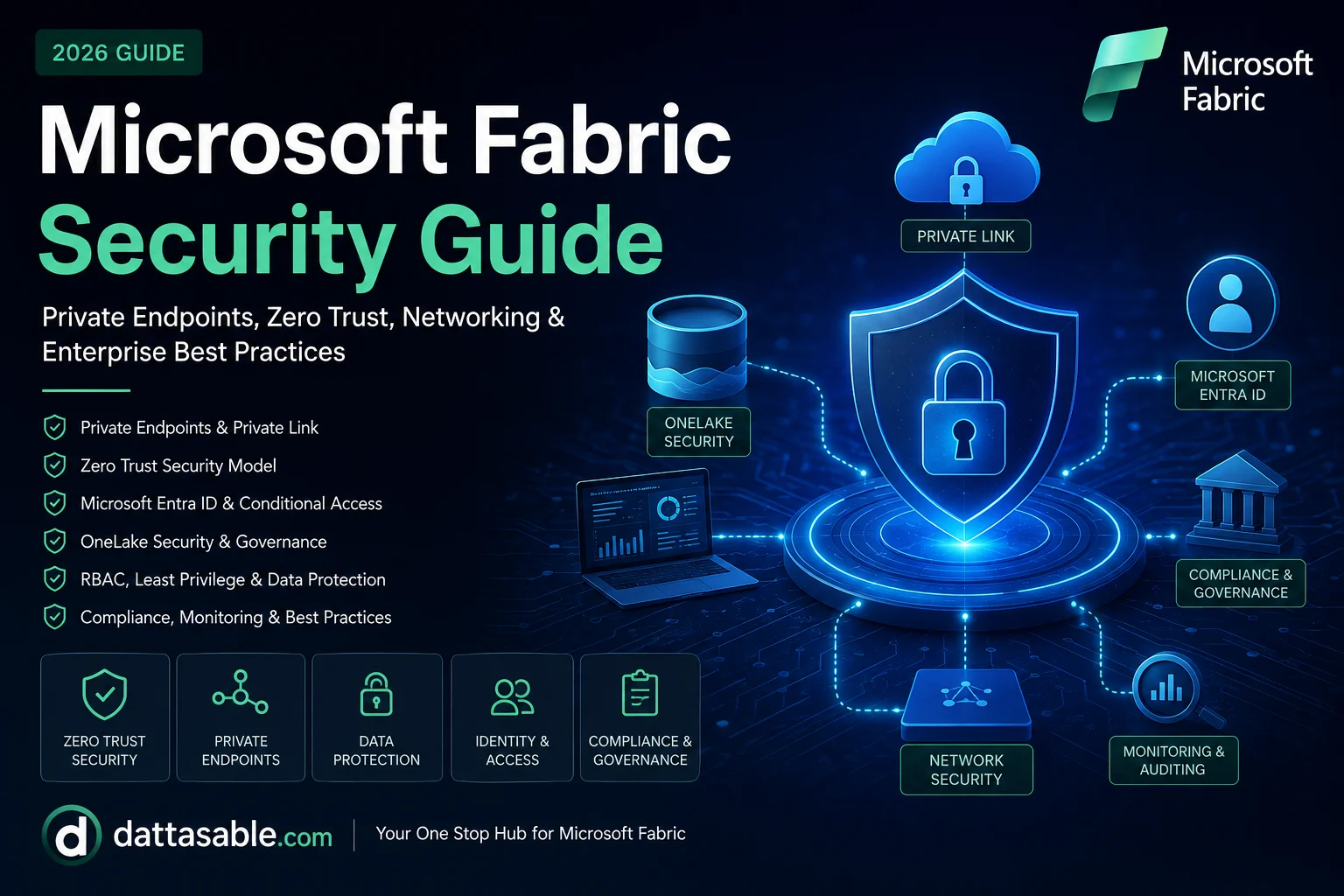

Microsoft Fabric Security represents a paradigm shift in how organizations protect their data assets. Because Fabric is a unified SaaS analytics platform—combining Data Engineering, Data Warehousing, Data Science, and Power BI into a single OneLake foundation—the security model differs fundamentally from traditional PaaS solutions. Implementing robust Zero Trust architectures, Private Endpoints, Conditional Access, and granular Role-Based Access Control (RBAC) is no longer optional; it is the cornerstone of enterprise readiness. This guide provides the definitive blueprint for securing your Microsoft Fabric environment in 2026.
When enterprise architects design a Microsoft Fabric deployment, security is consistently the most heavily scrutinized domain. Why? Because Fabric shatters data silos, meaning sensitive financial records, PII, and intellectual property are all co-located within OneLake. A single misconfiguration in a workspace role or a poorly designed Lakehouse shortcut could expose restricted data across the entire tenant.
Furthermore, because Microsoft Fabric is a Software-as-a-Service (SaaS) platform, traditional network perimeter security models (like deploying a firewall in front of a VM) do not apply. Instead, you must adopt an Identity-First, Zero Trust strategy, tightly integrating with Microsoft Entra ID (formerly Azure Active Directory) and leveraging features like Azure Private Link to secure network flows.
Never rely on default settings. The default configuration in Fabric prioritizes collaboration and ease of use, which directly conflicts with the principle of Least Privilege. In this comprehensive architecture guide, we will unpack every layer of Microsoft Fabric security, from tenant-level administration to row-level data access, preparing you to pass security reviews, achieve compliance, and architect a bulletproof data platform.
1. What is Microsoft Fabric Security?
Microsoft Fabric Security encompasses the policies, configurations, technologies, and governance frameworks required to protect data and workloads across the Fabric ecosystem. Because Fabric unifies multiple Azure Data services (Synapse, Data Factory, Power BI, Data Explorer) into a single SaaS product, the security model operates on a Shared Responsibility Model.
| Security Domain | Microsoft's Responsibility | Customer's Responsibility |
|---|---|---|
| Physical & Infrastructure | Securing data centers, underlying hardware, Hyper-V hosts, and backend networking. | None. |
| Platform & Application | Patching the OS, updating the Fabric software, securing backend APIs. | None. |
| Identity & Directory | Providing Entra ID infrastructure and threat detection signals. | Enforcing MFA, configuring Conditional Access, managing users/groups. |
| Data & Access | Providing encryption at rest (Microsoft-managed keys) and in transit. | Assigning Workspace Roles, configuring RLS/OLS, defining Data Classification. |
| Network Controls | Isolating tenant boundaries internally. | Configuring Private Endpoints, Managed VNets, and IP Firewalls. |
As a SaaS solution, Microsoft Fabric shifts much of the infrastructure security burden to Microsoft. However, you are entirely responsible for Identity-first Security, Data Security, and Governance.
2. Microsoft Fabric Security Architecture
Understanding the security architecture requires mapping the different layers of defense. The Microsoft Fabric security architecture is designed using a defense-in-depth approach, consisting of multiple interdependent layers.
    graph TD
      subgraph Identity Layer
      User[User / Service Principal] --> EntraID[Microsoft Entra ID]
      EntraID --> CA[Conditional Access Policies]
      end

      subgraph Network Layer
      CA --> VNet[Corporate VNet]
      VNet --> PE[Azure Private Endpoint]
      PE --> FW[Fabric IP Firewall]
      end

      subgraph Platform Layer
      FW --> Tenant[Fabric Tenant Admin Portal]
      Tenant --> Workspace[Workspace RBAC]
      Workspace --> Items[Fabric Items: Lakehouse, Warehouse, Semantic Models]
      end

      subgraph Data Layer
      Items --> OneLake[OneLake Storage Layer]
      Items --> RLS[Row/Column Level Security]
      end

      subgraph Governance & Monitoring
      Tenant -.-> Purview[Microsoft Purview Data Catalog]
      Tenant -.-> AzureMonitor[Azure Monitor / Log Analytics]
      end
Architecture Layers Breakdown:
- Identity Layer: The perimeter. All authentication flows through Microsoft Entra ID. Conditional Access policies enforce requirements like MFA, compliant devices, and risk-based sign-in blocks.
- Network Layer: Ensures traffic does not traverse the public internet. Utilizing Azure Private Link and Managed Virtual Networks (VNets), you can isolate Fabric traffic securely to your corporate network.
- Platform Layer: The authorization boundary. Tenant settings control broad capabilities (e.g., "Who can export data?"), while Workspace Roles (Admin, Member, Contributor, Viewer) grant broad access to collections of Fabric items.
- Data Layer: The fine-grained control. SQL-based Row-Level Security (RLS) and Object-Level Security (OLS), combined with OneLake data access roles, ensure that users only see the specific rows and columns they are authorized to view.
3. Identity & Authentication
Identity is the new perimeter. Microsoft Fabric relies exclusively on Microsoft Entra ID for authentication, utilizing OAuth 2.0 and OpenID Connect protocols.
Microsoft Entra ID Integration
Fabric does not have its own user database; it trusts Entra ID completely. This is a massive advantage because it allows you to leverage enterprise-grade identity protections:
- Multi-Factor Authentication (MFA): Enforce MFA for all users accessing Fabric.
- Conditional Access: Create policies that mandate specific conditions. For example, "Users can only access Microsoft Fabric if they are coming from a corporate IP address AND using an Intune-managed, compliant device."
- Identity Protection: Automatically block sign-ins or force password resets if Entra ID detects leaked credentials or impossible travel scenarios.
Service Principals and Managed Identities
Not all identities are humans. When automated pipelines, custom applications, or DevOps deployments interact with Fabric APIs, they must use machine identities.
- Service Principals: Register an application in Entra ID and use a Client ID and Secret/Certificate to authenticate programmatic access.
- Managed Identities: The preferred approach for Azure-to-Fabric communication (e.g., Azure Data Factory invoking a Fabric Notebook). Managed Identities eliminate the need to store and rotate secrets, as Azure handles the credential lifecycle automatically.
B2B Collaboration (Guest Users)
Enterprise platforms often require sharing data with external partners, vendors, or clients. Fabric supports Microsoft Entra B2B collaboration. External users can be invited into your tenant as Guest Users. You can apply specific Conditional Access policies to these guests (e.g., forcing them to accept Terms of Use and requiring MFA) and grant them restricted Workspace Viewer access.
4. Authorization
Once a user is authenticated, authorization determines what they can do. Fabric employs a multi-tiered authorization model.
Workspace Roles
Workspaces are the primary organizational containers in Fabric. Assigning roles at the workspace level is the first step in granting access.
| Workspace Role | Capabilities | Best For |
|---|---|---|
| Admin | Full control. Can add/remove users, delete the workspace, and modify settings. | IT Service Accounts, Lead Architects. (Keep to < 3 users). |
| Member | Can create, edit, and delete items. Can share items and publish apps. | Lead Data Engineers, Senior Developers. |
| Contributor | Can create, edit, and delete items. Cannot add users or publish apps. | Standard Developers, Data Scientists. |
| Viewer | Read-only access. Can view reports and query SQL endpoints (if permissions granted). | Business Analysts, End Users. |
Crucial Rule: Never assign Contributor, Member, or Admin roles to end-users who only need to consume data. These roles grant physical read/write access to the underlying OneLake data files, completely bypassing SQL Row-Level Security.
Item-Level Permissions and SQL Security
If you need to share a specific Lakehouse or Semantic Model without granting access to the entire workspace, you can share individual items. For fine-grained data security within a Fabric Warehouse or SQL Analytics Endpoint, you use standard T-SQL constructs.
- Row-Level Security (RLS): Filters data rows based on the executing user's Entra ID context.
- Column-Level Security (CLS): Restricts access to specific sensitive columns.
- Dynamic Data Masking (DDM): Obfuscates data on the fly (e.g., masking a credit card to show only
XXXX-XXXX-XXXX-1234) for unauthorized users.
5. Private Endpoints
For enterprise, regulatory, and compliance reasons, many organizations mandate that data platform traffic must never traverse the public internet. Microsoft Fabric supports Azure Private Link to facilitate this.
What are Private Endpoints?
A Private Endpoint is a network interface that uses a private IP address from your Azure Virtual Network (VNet). By enabling Azure Private Link for Microsoft Fabric, you bring the Fabric SaaS service securely into your own private network space.
    graph LR
      User[Corporate User] --> VPN[ExpressRoute / VPN]
      VPN --> VNet[Azure VNet]
      VNet --> PE[Private Endpoint 10.0.0.5]
      PE -->|Microsoft Backbone| Fabric[Microsoft Fabric SaaS]

      PublicUser[External Attacker] -.->|Blocked| Fabric
How Private Link Works in Fabric
- Configuration: You create a Private Endpoint Resource in your Azure subscription and link it to your Fabric Tenant.
- DNS Resolution: You configure your DNS servers (using Azure Private DNS Zones or on-premises DNS forwarders) to resolve Fabric URLs (e.g.,
app.fabric.microsoft.com) to the internal IP address of the Private Endpoint. - Traffic Routing: When a user on the corporate network attempts to access Fabric, the DNS routes them to the Private Endpoint. The traffic travels securely over the Microsoft backbone network, bypassing the public internet.
- Block Public Access: Once Private Link is successfully tested, you toggle the Fabric Tenant setting to "Block Public Internet Access." Any access attempt from outside the corporate network will be rejected at the network layer.
Limitations & Cost Considerations
While powerful, Private Endpoints introduce complexity:
- DNS Complexity: Misconfigured DNS is the #1 cause of Private Endpoint failures. Ensure your forwarders are correctly routing
privatelink.analysis.windows.netand related zones. - Cost: You pay hourly charges for the Private Endpoint resource and per-GB charges for inbound/outbound data processed through the endpoint.
- Feature Limitations: Some features, like Publish to Web, may be restricted or require specific configurations when public access is blocked.
6. Zero Trust
Microsoft Fabric is designed around the Microsoft Zero Trust framework, which operates on three guiding principles:
1. Verify Explicitly
Always authenticate and authorize based on all available data points. In Fabric, this means leveraging Entra ID Conditional Access to verify user identity, location, device health, service, and workload anomalies before granting access to a workspace.
2. Use Least Privilege Access
Limit user access with Just-In-Time (JIT) and Just-Enough-Access (JEA) policies. In Fabric, this translates to:
- Using Workspace Viewer roles primarily.
- Implementing RLS/OLS at the database level.
- Enforcing sensitivity labels (e.g., "Highly Confidential") that restrict data export and sharing.
3. Assume Breach
Operate as if your network is already compromised. Minimize blast radius and segment access. In Fabric, you achieve this by:
- Isolating workloads into separate workspaces.
- Using Customer-Managed Keys (CMK) for encryption.
- Enabling Azure Monitor and Microsoft Defender to detect anomalous activities, such as mass data downloads or logins from unusual locations.
7. Network Security
Beyond Private Endpoints for inbound access, you must secure outbound access. When Fabric workloads (like a Spark notebook or a Data Factory pipeline) need to connect to external data sources (like an on-premises SQL Server or an AWS S3 bucket), how do you secure that traffic?
Managed Virtual Networks (Managed VNets)
Fabric provides Managed VNets for workspaces. When enabled, the compute resources for that workspace (like Spark clusters) are provisioned inside an isolated virtual network fully managed by Microsoft.
- Secure Outbound: Spark jobs can securely connect to Azure PaaS services (like Azure SQL or Key Vault) by creating Managed Private Endpoints from the Fabric Managed VNet to the target resource.
- Data Exfiltration Protection: Managed VNets prevent malicious code in a notebook from exfiltrating data to an unauthorized public endpoint.
On-Premises Data Gateway
For data sources located on-premises (behind a corporate firewall), you utilize the On-Premises Data Gateway. The gateway acts as a bridge, polling the Azure Service Bus for queries from Fabric, executing them locally, and returning the results securely over an outbound HTTPS connection. No inbound firewall ports need to be opened.
8. Data Security
Protecting data at rest and in transit is fundamental.
Encryption
- In Transit: All communication between Microsoft Fabric components and client interfaces is encrypted using TLS 1.2 or higher.
- At Rest: By default, all data in OneLake and Fabric services is encrypted at rest using Microsoft-managed keys.
Customer-Managed Keys (CMK)
For highly regulated industries, Microsoft-managed keys are not sufficient. Fabric supports Customer-Managed Keys (CMK). You generate your own encryption keys in Azure Key Vault (or Azure Key Vault Managed HSM), and Fabric uses these keys to encrypt the data at rest. If you revoke the key in Key Vault, the data in Fabric becomes instantly unreadable, providing ultimate control over data destruction.
Sensitivity Labels and Microsoft Purview
Fabric integrates natively with Microsoft Purview Information Protection. You can apply sensitivity labels (e.g., "Internal", "Confidential", "Highly Confidential") to Fabric items (datasets, reports, Lakehouses).
These labels carry protection policies. For example, if a user exports a Power BI report labeled "Highly Confidential" to Excel, the Excel file inherits the label and its encryption. If the user emails that Excel file to a personal Gmail account, they will not be able to open it because their personal identity is not authorized by the Entra ID policy tied to the label.
9. OneLake Security
OneLake is the underlying storage layer for all Fabric workloads. Understanding how security works at the OneLake level is critical.
OneLake Data Access Roles
Fabric is rolling out OneLake Data Access Roles, which allow you to define RBAC policies directly on folders within a Lakehouse or OneLake namespace. This allows a user to access specific Delta tables via a Spark notebook without needing access to the entire Lakehouse.
The Shortcut Security Dilemma
OneLake Shortcuts are powerful, allowing you to link data from ADLS Gen2, AWS S3, or other workspaces without moving it. However, shortcuts inherit the security of the target location based on the credentials used to create the shortcut.
Warning: If an Admin creates a shortcut to highly sensitive HR data in a public workspace using their high-level credentials, anyone in that public workspace can now read the HR data. Always use Service Principals with strictly scoped permissions when creating cross-environment shortcuts.
10. Governance Integration
Security without governance leads to chaos. Fabric relies on Microsoft Purview as its governance control plane.
- Data Cataloging & Discovery: Purview automatically scans Fabric workspaces, cataloging Lakehouses, Warehouses, and Semantic Models.
- Data Lineage: Purview captures end-to-end lineage. You can visually trace how a column of data flows from an on-premises SQL Server, through a Fabric Dataflow, into a Lakehouse, and finally onto a Power BI dashboard.
- Data Policies: Purview allows Data Stewards to define data access policies centrally, which are then pushed down and enforced by the Fabric compute engines.
11. Monitoring & Auditing
A Zero Trust architecture requires continuous monitoring. Fabric generates extensive audit logs for every user action (e.g., viewing a report, executing a query, exporting data, changing a permission).
Log Analytics & Azure Monitor
Fabric audit logs can be streamed directly to Azure Log Analytics. Once in Log Analytics, you can:
- Create KQL (Kusto Query Language) queries to investigate security incidents.
- Set up Azure Monitor Alerts to notify the SOC team if an admin changes a tenant setting or if a massive data export occurs.
- Integrate with Microsoft Sentinel (SIEM) to correlate Fabric logs with Entra ID sign-in logs to detect sophisticated insider threats.
12. Compliance
Microsoft Fabric is built on Azure's compliance foundation, inheriting over 100 compliance offerings. As of 2026, Fabric complies with major frameworks including:
- GDPR (General Data Protection Regulation): Fabric supports data residency boundaries, ensuring European data stays in EU regions. Purview helps automate Right to Be Forgotten requests by locating PII across OneLake.
- HIPAA / HITECH: Fabric can process Protected Health Information (PHI) when secured with CMK and Private Endpoints.
- ISO 27001, SOC 1/2/3: Fabric maintains independent third-party audit certifications.
- PCI DSS: Suitable for financial institutions handling payment card data, provided proper tokenization and network isolation controls are implemented.
13. Enterprise Architecture Example
Scenario: Global Financial Services Bank
A multinational bank needs to deploy Fabric across NA and EMEA regions while maintaining strict data sovereignty, network isolation, and granular access control.
The Solution Architecture:
- Tenant & Capacity: A single Entra ID tenant is used. Fabric capacities are provisioned in both the US East and West Europe regions. Multi-Geo capabilities ensure data residency.
- Network Isolation: The tenant is configured to Block Public Internet Access. Two Azure Private Endpoints are created (one in NA, one in EMEA) and connected via ExpressRoute.
- Identity: Entra ID Conditional Access requires phishing-resistant MFA (FIDO2 keys) and restricts access strictly to corporate, Intune-compliant devices.
- Workspace Segregation: Dev, Test, and Prod workspaces are separated. Deployment Pipelines promote code.
- Data Security: Customer-Managed Keys (CMK) encrypt all OneLake data. Data engineers use Managed VNets to run Spark jobs securely. Row-Level Security in the Warehouse restricts Regional Managers to viewing only their territory's trade data.
- Monitoring: Audit logs stream to Microsoft Sentinel, triggering automated playbook responses if a user attempts to export unencrypted data.
14. Performance & Cost
Security features introduce overhead that can impact both performance and cost.
- Private Endpoint Costs: Azure charges for Private Link data processing. If you move petabytes of data through a Private Endpoint daily, costs will escalate. Monitor bandwidth usage.
- Encryption Overhead: CMK introduces a slight latency overhead during read/write operations because the engine must constantly retrieve the key from Key Vault.
- Log Analytics Costs: Streaming verbose audit logs to Sentinel/Log Analytics incurs ingestion and retention fees. Filter out noisy, low-value events if budgets are tight.
15. Best Practices Checklist
Implement these top enterprise best practices to secure your Fabric environment:
- Disable "Publish to Web" in Tenant Settings immediately.
- Enforce MFA for all Fabric users via Entra ID Conditional Access.
- Enable "Block Public Internet Access" and use Azure Private Link.
- Never grant workspace Contributor/Member roles to business end-users.
- Use Managed Identities for all automated API and pipeline access.
- Apply Microsoft Purview Sensitivity Labels to all highly confidential semantic models.
- Implement Customer-Managed Keys (CMK) for regulatory compliance.
- Stream Fabric Audit Logs to Azure Log Analytics for retention and alerting.
- Use Workspace Deployment Pipelines to separate Dev, Test, and Prod environments.
- Regularly audit external Guest User access and enforce expiration policies.
- Use Service Principals with strictly scoped permissions for OneLake Shortcuts.
- Enable Managed VNets for workspaces executing Spark notebooks.
- Implement Row-Level Security (RLS) on Warehouses and Semantic Models.
- Restrict who can create workspaces to a centralized IT governance group.
- Configure Data Exfiltration Protection on Managed VNets.
16. Common Mistakes
- Misconfigured RBAC: Assigning the "Member" role to a broad Entra ID group, inadvertently giving hundreds of users edit access and bypassing RLS.
- Ignoring the Default Semantic Model: Creating duplicate semantic models instead of securing the default one, leading to inconsistent security application.
- DNS Failures with Private Link: Using public DNS forwarders instead of Azure Private DNS zones, causing internal users to fail to resolve the Private Endpoint IP.
- Over-privileged Service Principals: Granting a Service Principal tenant-admin rights rather than scoping it to a single workspace.
17. Troubleshooting
When users experience "Access Denied" or connectivity issues, check the following:
- Network Timeouts: If the browser spins and times out, it's likely a Private Endpoint routing issue. Use
nslookup app.fabric.microsoft.comto verify it resolves to an internal 10.x IP, not a public IP. - Authentication Errors: Check Entra ID Sign-in logs. The user might be blocked by a Conditional Access policy (e.g., logging in from an unregistered mobile device).
- Missing Data (RLS): If a user can see a report but the charts are blank, their Workspace Role is correctly set to Viewer, but they have not been added to the underlying Row-Level Security mapping table or Entra ID group.
18. FAQ
- Q: Does Fabric support Azure IP Firewalls?
- A: Yes, you can configure allowed IP ranges at the tenant or workspace level to restrict public access to specific corporate IP addresses without deploying full Private Endpoints.
- Q: Can I use AWS IAM to authenticate to Fabric?
- A: No. Fabric authentication is strictly bound to Microsoft Entra ID. However, you can federate your external Identity Provider (like Okta or AWS SSO) with Entra ID.
- Q: How does security work with Copilot in Fabric?
- A: Copilot inherits the exact permissions of the user executing it. It cannot read data, models, or schemas that the user does not have explicit access to. Furthermore, Microsoft does not use your tenant data to train its foundational models.
- Q: Is data encrypted during processing in memory?
- A: Yes, Azure Confidential Computing can be utilized for specific workloads, and memory is isolated at the hypervisor level.
- Q: Can I backup OneLake data for ransomware protection?
- A: Fabric provides point-in-time restore capabilities (time travel) for Delta Lake tables, allowing you to easily recover from accidental deletes or malicious modifications.
Looking to dive deeper into architecture? Be sure to check out our Microsoft Fabric Architecture Explained and Fabric Warehouse Guide for more enterprise engineering insights.
