
To master Microsoft Fabric Warehouse, we suggest reviewing our core Fabric architecture and storage guides first:
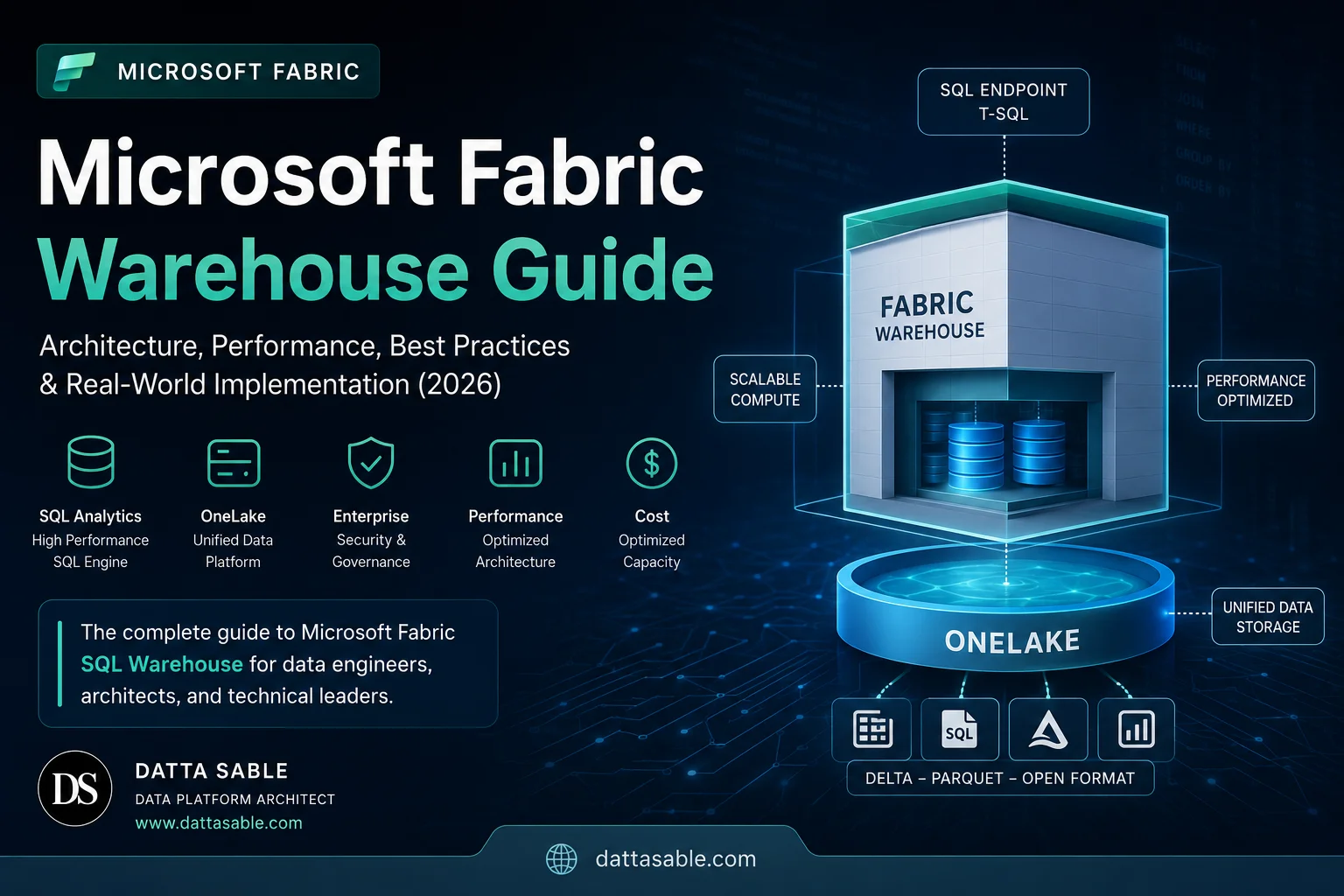
→ Microsoft Fabric Architecture Explained (2026) → OneLake Explained: Delta Parquet & Shortcuts → Microsoft Fabric Pricing Guide → Microsoft Fabric Medallion ArchitectureMicrosoft Fabric Warehouse represents a fundamental departure from traditional relational data warehousing. By decoupling serverless SQL compute from open-format Delta Parquet files in OneLake, Fabric eliminates the need for expensive dedicated clusters, manual distribution indexing, and proprietary storage formats. In this handbook, we explore the internal Polaris engine, query processing workflows, cost estimation schemas, security matrices (RLS/OLS), and 40 deep-dive FAQs to prepare you for designing enterprise data platforms and passing your DP-600 and DP-700 exams.
1. What is Microsoft Fabric Warehouse?
The enterprise data warehouse has historically been a monolith. Dedicated compute resources were statically provisioned, and data was stored in proprietary, optimized formats locked inside the database. When Microsoft introduced Azure Synapse Dedicated SQL Pools, they scaled this compute pattern via Massively Parallel Processing (MPP), but storage remained bound to SQL-specific files. Microsoft Fabric Warehouse completely rewrites this model. For more details, refer to the official Microsoft Fabric Warehouse documentation.
At its core, a Warehouse in Microsoft Fabric is a fully managed, serverless transactional data warehouse that stores its data in Delta Parquet format within OneLake. Rather than forcing you to provision and pay for VM clusters, Fabric Warehouse utilizes a distributed SQL engine called Polaris. Compute is automatically allocated based on the complexity of your query, scaling up and down dynamically without any manual intervention.
To understand the paradigm shift, look at how the storage format is decoupled. In traditional relational databases, data is written into highly optimized, binary page files (.mdf/.ldf in SQL Server, or dedicated distribution partitions in Synapse Dedicated Pools) that only the SQL engine can read. If you want to analyze that data using a Spark notebook or a machine learning tool, you have to extract the data via ETL pipelines into a storage lake. In Fabric, the storage layer is OneLake. When you write data to a Fabric Warehouse, the engine saves the tables as open-standard Delta Parquet files. Any other tool in the workspace—whether it is a PySpark Notebook, an Azure Machine Learning workspace, or Power BI running in Direct Lake mode—can read those exact same files directly without copying or moving them. This is the foundation of data virtualization.
Key Architectural Benefits:
- Serverless Compute: The warehouse separates compute from storage. You are billed based on the Fabric capacity (F-SKUs) allocated to your workspace, and the query engine dynamically uses compute nodes to process queries.
- Open Storage Standards: Data is stored as Delta Parquet files in OneLake. This guarantees ACID transactions (Atomicity, Consistency, Isolation, Durability) while keeping your data open to Spark and external integrations.
- SaaS Integration: Fabric Warehouse is integrated with the rest of the Microsoft Fabric ecosystem, meaning security roles, sitemaps, data lineage, and metadata are managed centrally.
2. How Microsoft Fabric Warehouse Works (Internal Architecture)
To build performant systems, we must understand how queries execute underneath the hood. Fabric Warehouse uses the Polaris engine—a distributed, serverless T-SQL query processor built for cloud-scale analytics. Unlike SQL Server or Dedicated SQL Pools which rely on local VMs, Polaris uses a stateless compute architecture that reads metadata and physical files directly from the lake.
When an Analytics Engineer or a Power BI model executes a query against the Fabric SQL Endpoint of a Warehouse, the execution goes through a highly coordinated series of steps:
    graph TD
      User[User / Power BI] -->|1. Submit Query| SQL_End[SQL Connection Endpoint]
      SQL_End -->|2. T-SQL String| Parser[Query Parser & Compiler]
      Parser -->|3. AST / Relational Plan| Optimizer[Polaris Query Optimizer]
      Optimizer -->|4. Cost-Based Execution Plan| Engine[Query Execution Coordinator]
      Engine -->|5. Coordinate Compute| DistCompute[Distributed Compute Engine]
      DistCompute -->|6. Retrieve Meta & Schema| Metadata[Metadata Cache & Logs]
      DistCompute -->|7. Read Delta Parquet Files| OneLake[OneLake Delta Storage]
      OneLake -->|8. Fetch Segments| DistCompute
      DistCompute -->|9. Aggregate & Process| Engine
      Engine -->|10. Return Results| User
The Execution Flow Explained:
- SQL Endpoint: The user connects via the standard TDS (Tabular Data Stream) protocol. This endpoint is identical to the one used by SQL Server, allowing you to connect using SSMS, Azure Data Studio, or Power BI.
- Query Parser: The parser compiles the T-SQL query, checks syntax, verifies permissions, and produces an Abstract Syntax Tree (AST).
- Query Optimizer: The optimizer evaluates the query. Since there are no traditional B-Tree indexes, the optimizer relies heavily on Delta Lake table statistics, file-level metadata, and column-store segment boundaries. It creates a distributed query plan.
- Execution Engine (Coordinator): The coordinator node splits the query plan into smaller execution chunks (referred to as "activities") and distributes them across compute nodes.
- Distributed Compute: A cluster of stateless compute nodes fetches the necessary Parquet file segments from OneLake. These nodes use local RAM and SSDs for caching intermediate query results.
- OneLake Delta Storage: The files are read as columnar Parquet blocks. The compute nodes apply predicate pushdown to filter rows and columns at the storage level, minimizing the amount of data transferred over the network.
3. Core Components Breakdown
A Warehouse is built from several integrated components that work together to provide transactional relational database features. Let's analyze each component's technical role:
| Component | Physical Storage Location | Primary Function |
|---|---|---|
| SQL Endpoint | SaaS Gateway (TDS Interface) | Handles incoming T-SQL queries and TDS protocol communication. Works as the connection gateway. |
| OneLake | Azure ADLS Gen2 (Backend) | The unified storage layer where all files reside. Decoupled from compute. |
| Delta Tables | OneLake (Tables directory) | Data stored as compressed Parquet files accompanied by a JSON transaction log (_delta_log) to enable ACID features. |
| Metadata Store | SaaS Catalog (Internal) | Manages SQL schema definitions, database structures, permissions, views, and execution histories. |
| Default Semantic Model | Analysis Services (Memory) | A dynamically generated Power BI dataset that reflects the database schema in real-time, enabling Direct Lake access. |
How Delta Parquet Storage Enables ACID in the Warehouse:
Delta Lake tables use a transaction log folder called _delta_log at the root of each table directory. When a user runs an UPDATE, DELETE, or INSERT query:
- The SQL engine writes new Parquet files containing the updated data.
- It creates a new commit file (e.g.,
00000000000000000001.json) inside the_delta_logdirectory. - This JSON file lists the new files added and the old files deleted (marked for removal).
- Subsequent queries read this log to identify which physical files represent the current active state of the database, ensuring isolation and consistency.
4. Warehouse vs Lakehouse: The Definitive Comparison
One of the most common points of confusion for teams migrating to Microsoft Fabric is deciding when to use a Warehouse and when to use a Lakehouse. Both compute types write their physical tables to OneLake as Delta Parquet files, but their developer interfaces and operational behaviors are completely different.
Review this comparison matrix to select the right approach for your architecture:
| Feature | Fabric Warehouse | Fabric Lakehouse |
|---|---|---|
| Primary Engine | Polaris SQL Engine | Apache Spark Engine (PySpark, Scala, Spark SQL) |
| Developer Skillset | T-SQL, Relational Databases | Python, Scala, Spark SQL, R |
| Data Write Capabilities | Full T-SQL DDL/DML (INSERT, UPDATE, DELETE, MERGE) | Write via Spark Notebooks, Dataflows, or Pipelines |
| SQL Endpoint Read | Read/Write via SQL client | Read-Only SQL Analytics Endpoint |
| Unstructured Data | No support (Strictly structured tables) | Supported via "Files" directory (CSVs, JSONs, PDFs, images) |
| Multi-table Transactions | Yes (Within a single database session) | No (ACID is table-level only) |
| Primary Best Use Cases | Enterprise DW, Star Schemas, SQL migrations, complex security (RLS/OLS) | Data Engineering, Data Science, raw landing zones, AI workloads |
Decision Matrix Flow:
If you are struggling to choose, apply this simple design flow:
- Use Lakehouse if your data is semi-structured (JSONs, logs) or unstructured (images, PDFs), or if your ETL engineers prefer writing Python/PySpark notebooks.
- Use Warehouse if your data is structured, you need cross-table transactional safety (BEGIN TRANSACTION... COMMIT), or your data team consists of SQL developers who write stored procedures, views, and standard relational queries.
5. Warehouse vs Synapse Dedicated SQL Pool
Azure Synapse Dedicated SQL Pools (formerly Azure SQL Data Warehouse) use a provisioned MPP model. Computes are sized in Data Warehousing Units (DWUs) and data must be explicitly distributed across 60 storage distributions using Hash, Round-Robin, or Replicated keys. Fabric Warehouse simplifies this management model.
Key Differences:
- Compute Allocations: Synapse Dedicated Pools require you to pay for active clusters continuously, even when idle (unless paused manually). Fabric Warehouse compute is serverless, running against your shared workspace capacity (F-SKUs) and only consuming active capacity units during execution.
- Distribution Keys: In Synapse, selecting the wrong Hash distribution key leads to data skew and slow queries. Fabric Warehouse automatically distributes and optimizes data files without requiring you to define distribution keys.
- Storage Format: Synapse Dedicated Pools use proprietary SQL Server storage. Fabric Warehouse uses open-standard Delta Parquet files in OneLake.
| Feature | Azure Synapse Dedicated Pool | Fabric Warehouse |
|---|---|---|
| Scaling Model | Manual DWU adjustments (requires pause/resume downtime) | Automatic, instantaneous serverless scaling |
| Data Formats | Proprietary SQL formats | Delta Parquet (Open-standard) |
| Index Support | Clustered Columnstore, Clustered Rowstore, Non-clustered B-Trees | Automated Columnstore metadata mapping (no manual index creation) |
| Pause/Resume | Manual (scripted or scheduled) | Automatic (immediate pause when no queries run) |
6. Warehouse vs Snowflake
Snowflake is a popular cloud data warehouse that decouples compute and storage. It uses virtual warehouses to query data stored in proprietary micro-partition structures. Let's compare Snowflake with Microsoft Fabric Warehouse:
Ecosystem Integration and Storage:
Snowflake stores data in its proprietary micro-partition format (though it has added support for Iceberg tables). Fabric Warehouse stores data as Delta Parquet in OneLake. This means that if you are using Power BI, Fabric can read data using Direct Lake mode, bypassing the latency and cost of loading data into memory (Import mode) or running live queries (DirectQuery mode).
Cost & Billing Models:
* Snowflake: Billed on virtual warehouse compute hours (Snowflake credits) and storage consumption per TB. * Fabric Warehouse: Compute runs on shared workspace Capacity (F-SKUs) which can be shared across other workloads like Spark notebooks, Data Factory pipelines, and Power BI dashboards. Storage is billed at standard Azure ADLS Gen2 storage rates.7. Warehouse vs Databricks SQL
Databricks SQL provides serverless SQL compute on top of data lakes. It uses the Delta Lake format, which is the same storage format used by Microsoft Fabric. Let's analyze how they compare:
- Compute Sizing: Databricks SQL uses SQL Warehouses (sized as 2X-Small, X-Small, Small, Medium, etc.). You must configure and manage these warehouses. Fabric Warehouse uses serverless compute powered by Polaris, which is automatically scaled based on your active F-SKU capacity.
- Semantic Integration: Fabric integrates the Warehouse with Power BI via the default Semantic Model. Databricks SQL requires you to configure connectors (like DirectQuery or Import) to connect to Power BI.
- Development Experience: Databricks is built for data engineering teams who prefer writing notebooks, Python, and SQL scripts. Fabric Warehouse is designed for database administrators and analytics developers who prefer a SaaS relational database environment.
8. How Queries Execute: Compilation, Cache & Data Movement
Fabric Warehouse uses the Polaris engine's distributed architecture to compile and execute queries. Let's trace how T-SQL queries are parsed, optimized, and executed:
1. Distributed Plan Optimization
Because Fabric does not support traditional B-tree indexes, the Polaris optimizer relies on metadata pruning.
During compilation, the optimizer reads the Delta transaction log to get the minimum and maximum values for every column in each Parquet file.
If your query includes a clause like WHERE TransactionDate >= '2026-01-01', the optimizer identifies which files contain values in that range and ignores all other files, avoiding unnecessary disk reads.
2. Distributed Execution (The D-Engine)
Polaris translates the query plan into a set of tasks that are executed in parallel across multiple compute nodes. If a query requires joining two large tables, the engine uses Data Shuffle techniques (data movement across compute nodes) to co-locate records with matching join keys in memory before performing the join. This process is managed automatically by the Polaris engine.
3. Result and Cache Layering
Fabric Warehouse uses multiple caching layers to optimize query performance:
- Result Cache: If a query is executed and the underlying data in OneLake has not changed, the engine returns the results directly from the query coordinator's memory cache. This executes in milliseconds.
- Local SSD Cache: When compute nodes read Parquet files from OneLake, they cache the uncompressed columnar data on local SSDs. Subsequent queries scanning those columns read from fast local SSD storage rather than fetching the files from OneLake.
9. Performance Optimization: Partitioning, Statistics & V-Order
Although Fabric Warehouse manages database tuning automatically, you can use several optimization techniques to improve performance for large enterprise datasets:
1. Update Statistics Manually
While the Polaris engine automatically creates and updates statistics, large data updates can lead to out-of-date statistics, resulting in suboptimal query execution plans. You can monitor and update statistics manually using T-SQL:
sql
-- View all existing statistics for a table
SELECT
    s.name AS StatisticsName,
    c.name AS ColumnName,
    s.auto_created AS IsAutoCreated,
    s.user_created AS IsUserCreated,
    STATS_DATE(s.object_id, s.stats_id) AS LastUpdatedDate
FROM sys.stats s
JOIN sys.stats_columns sc ON s.object_id = sc.object_id AND s.stats_id = sc.stats_id
JOIN sys.columns c ON sc.object_id = c.object_id AND sc.column_id = c.column_id
WHERE s.object_id = OBJECT_ID('dbo.FactSales');

-- Manually update statistics for a table
UPDATE STATISTICS dbo.FactSales;

-- Create target statistics for a specific column
CREATE STATISTICS stat_SalesDate ON dbo.FactSales(SalesDateKey);
2. Optimize via CTAS (Create Table As Select)
Unlike traditional SQL Server, you cannot rebuild indexes or reindex tables in Fabric Warehouse.
When a table accumulates many small updates or deletes, it can suffer from file fragmentation (having many small, fragmented files in OneLake).
To fix this, you can rewrite the table using CTAS. This merges fragmented files into consolidated Parquet blocks and applies Microsoft's V-Order sorting format:
sql
-- Step 1: Create a consolidated, optimized copy of the fragmented table
CREATE TABLE dbo.FactSales_Temp
AS
SELECT * FROM dbo.FactSales;

-- Drop original table and rename Temp
3. What is V-Order and Why it Matters:
V-Order is a proprietary sorting algorithm developed by Microsoft. It applies advanced sorting and encoding to Parquet files, optimizing them for fast reads by Power BI and Polaris engine queries. Data written using Fabric Warehouse automatically applies V-Order sorting, which helps improve query performance, especially when using Power BI's Direct Lake mode.
10. Capacity Planning & SKU Allocation
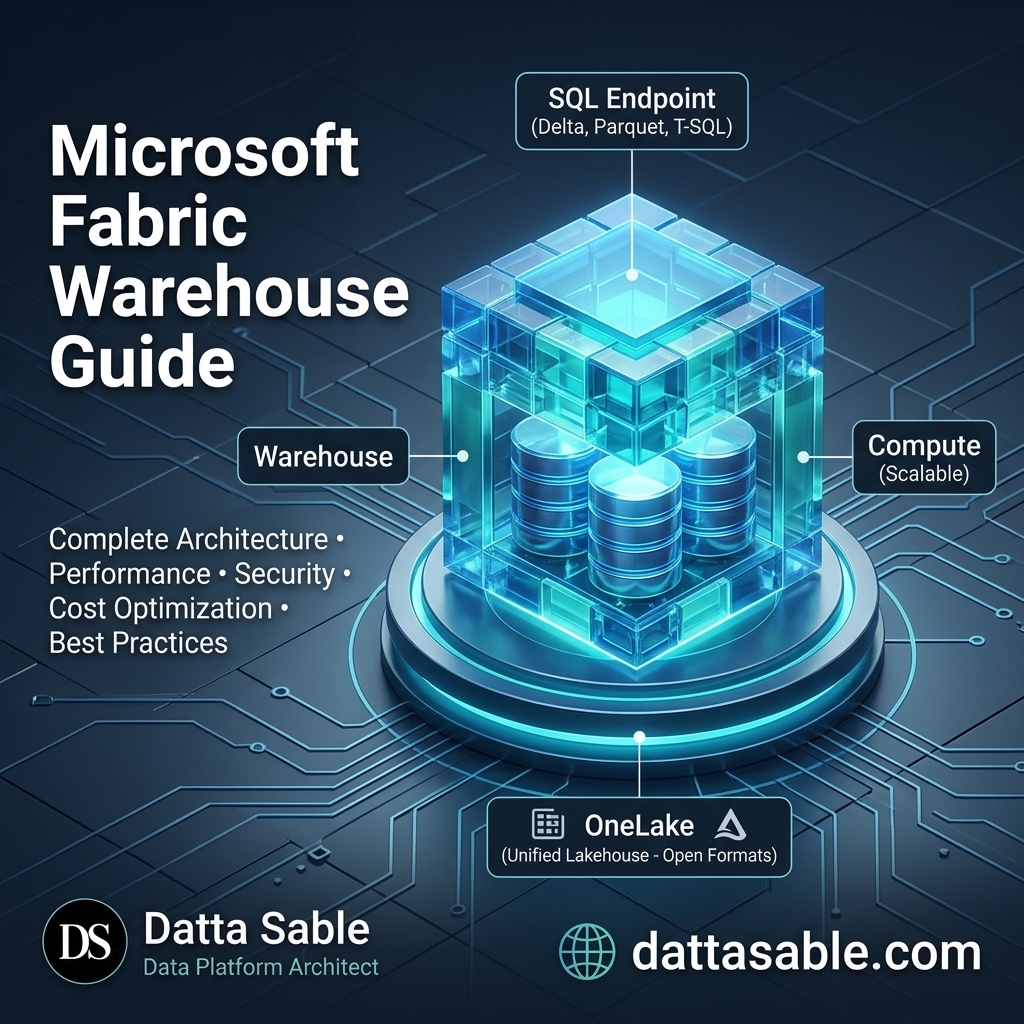 Figure: Microsoft Fabric Warehouse Architecture & Sizing Reference Map
Microsoft Fabric billing is based on shared workspace capacity, represented by F-SKUs (Fabric Capacity Units). Let's review the available capacity tiers and their performance profiles:
| SKU Size | Capacity Units (CUs) | Power BI Equivalent | Best Use Case |
|---|---|---|---|
| F2 | 2 | N/A | Development, testing, small tables (< 10GB). Limited query performance. |
| F4 | 4 | N/A | Small database environments, simple data integrations. |
| F8 | 8 | N/A | Mid-sized databases, small data transformation workloads. |
| F16 | 16 | N/A | Small production workloads, light Power BI semantic models. |
| F32 | 32 | N/A | Production environments, complex data transformations. |
| F64 | 64 | P1 | Enterprise production databases, heavy Power BI Direct Lake models. First tier with Copilot support. |
| F128 | 128 | P2 | High-throughput data platforms, large-scale T-SQL analytics. |
| F256+ | 256+ | P3+ | Global enterprise platforms, massive data volumes (> 5TB). |
When selecting your SKU, consider your Fabric capacity requirements around concurrency and compute workload intensity. Because Fabric compute is serverless, running queries can consume more Capacity Units than your base SKU provides. This is managed by Smoothing. Under this model, if a query uses 128 CUs for 10 seconds on an F64 capacity, Fabric spreads that consumption over a longer window (e.g., 20 seconds), allowing you to run spikes in workload without immediate throttling.
You can model and simulate your capacity requirements using the Microsoft Fabric Capacity Calculator tool on Fabric Master.
11. Cost Optimization & Monitoring Budgets
To control cloud spend, you must monitor your Fabric capacity usage. Use these strategies to optimize costs in Microsoft Fabric Warehouse:
1. Monitor Smoothing and Throttling
Fabric capacity includes Throttling mechanisms. If your workspace consistently consumes more capacity than your allocated SKU provides, Fabric will throttle your workspace. You can use the Microsoft Fabric Capacity Metrics app to track your compute consumption. The app shows:
- Interactive Consumption: Compute consumed by ad-hoc user queries and report interactions.
- Background Consumption: Compute consumed by scheduled data loads, stored procedures, and Spark jobs.
2. Optimize via Reserved Capacity
For production workloads, you can purchase Microsoft Fabric Reserved Capacity on a 1-year or 3-year term. This offers significant savings compared to Pay-As-You-Go pricing.
You can estimate your savings using the Fabric Master Cost Estimator at fabric.dattasable.com.
12. Enterprise Security: Workspace Roles, RLS & OLS
Fabric Warehouse provides a multi-layered security model that combines workspace roles with SQL object-level permissions, Row-Level Security (RLS), and Column-Level Security (OLS).
    graph TD
      A[Identity: Entra ID / Group] --> B{Workspace Role?}
      B -->|Admin / Member / Contributor| C[Full Read/Write Access to Warehouse]
      B -->|Viewer| D{Has SQL Permissions?}
      D -->|No Read/Grant| E[Access Denied]
      D -->|Read Granted| F{Object Access Control}
      F -->|1. Object Permissions| G[Table / View / Proc Access]
      F -->|2. Column-Level Security| H[Mask Hidden Columns]
      F -->|3. Row-Level Security| I[Filter Row Rows via Security Predicate]
1. SQL Object-Level Permissions
For users with the workspace Viewer role, you can restrict access to specific tables, views, and schemas using standard T-SQL commands:
sql
-- Grant Read permissions to a specific schema
GRANT SELECT ON SCHEMA::dbo TO [user@yourdomain.com];

-- Deny read permissions to sensitive tables
DENY SELECT ON dbo.SensitiveSalary TO [user@yourdomain.com];

-- Grant execution permissions for a stored procedure
GRANT EXECUTE ON dbo.GetFinancialReport TO [user@yourdomain.com];
2. Row-Level Security (RLS)
Row-Level Security allows you to restrict row access based on the user's login identity. This is implemented using a security function and a security policy:
sql
-- Step 1: Create a schema for the security predicate
CREATE SCHEMA Security;
GO

-- Step 2: Define the security predicate function
CREATE FUNCTION Security.fn_salesFilter(@Region AS VARCHAR(50))
    RETURNS TABLE
WITH SCHEMABINDING
AS
    RETURN SELECT 1 AS fn_securityResult
    WHERE
        -- Allow the admin account unrestricted access
        USER_NAME() = 'admin@yourdomain.com'
        -- Filter rows based on matching Entra ID names
        OR (USER_NAME() = 'mumbai_manager@yourdomain.com' AND @Region = 'Mumbai')
        OR (USER_NAME() = 'ny_manager@yourdomain.com' AND @Region = 'New York');
GO

-- Step 3: Create the security policy to enforce the predicate on FactSales
CREATE SECURITY POLICY Security.salesPolicy
    ADD FILTER PREDICATE Security.fn_salesFilter(RegionName)
    ON dbo.FactSales
    WITH (STATE = ON);
GO
3. Column-Level Security (CLS/OLS)
Column-Level Security allows you to restrict access to specific columns (e.g., social security numbers or credit card numbers) for certain database users:
sql
-- Revoke access to specific columns while allowing access to the table
GRANT SELECT ON dbo.FactCustomers(CustomerID, CustomerName, Address) TO [marketing_analyst@yourdomain.com];
-- The analyst will get a permission error if they attempt to run: SELECT CreditCardNumber FROM dbo.FactCustomers;
13. Monitoring Tools, DMVs & Log Analytics
To optimize and debug your Fabric Warehouse, you can use Dynamic Management Views (DMVs) to monitor query execution and resource usage.
Useful DMVs for Query Monitoring:
sql
-- Find the top 10 slowest executing queries
SELECT TOP 10
    r.request_id,
    r.status,
    r.submit_time,
    r.start_time,
    r.end_time,
    DATEDIFF(ms, r.start_time, r.end_time) AS DurationMS,
    r.command
FROM sys.dm_exec_requests r
ORDER BY DurationMS DESC;

-- Monitor active query steps across nodes
SELECT
    step_index,
    operation_type,
    location_type,
    status,
    spills_count,
    row_count
FROM sys.dm_exec_request_steps
WHERE request_id = 'your_request_id_here'
ORDER BY step_index;
14. Best Practices: Enterprise Checklist
To maintain a performant and secure Fabric Warehouse, implement this best practice checklist:
| Area | Action Item | Technical Rationale |
|---|---|---|
| Data Loading | Use COPY INTO rather than multiple INSERT statements |
COPY INTO performs bulk loading directly into Parquet files, whereas single inserts create many small fragmented files in OneLake. |
| Optimization | Run CTAS regularly to consolidate fragmented tables |
CTAS rebuilds fragmented Delta files, runs V-Order sorting, and optimizes read performance. |
| Security | Use workspace Contributor roles for developers and SQL permissions for viewers | Workspace Viewer roles prevent users from altering schemas while letting you configure RLS/OLS at the database level. |
| Modeling | Design star schemas with clear fact and dimension tables | Star schemas optimize columnstore performance and work best with Power BI's Direct Lake mode. |
15. 20 Common Mistakes & How to Fix Them
Avoid these common mistakes when working with Microsoft Fabric Warehouse:
-
Running single
INSERTloops:
Mistake: Running loop inserts generates a large number of small Parquet files in OneLake.
Fix: UseCOPY INTOor batch data loads using Data Factory pipelines. -
Forgetting to update statistics:
Mistake: Suboptimal query plans caused by out-of-date statistics after large data loads.
Fix: Manually update statistics usingUPDATE STATISTICSafter major data writes. -
Treating Warehouse as an OLTP Database:
Mistake: Using the Warehouse for rapid, single-row transactional writes.
Fix: Use SQL Server or Azure SQL Database for transactional workloads, then sync data to Fabric Warehouse for analytics. -
Over-partitioning tables:
Mistake: Partitioning on columns with high cardinality (like Timestamp) creates too many small folders and files.
Fix: Limit partitioning to columns with lower cardinality (like Year or Month). -
Not utilizing
CTASfor table updates:
Mistake: Performing large updates on existing tables leads to fragmented files.
Fix: Rewrite tables usingCTASto consolidate files. -
Ignoring the Default Semantic Model:
Mistake: Manually creating new semantic models instead of leveraging the default semantic model, which misses out on automatic schema updates.
Fix: Build Power BI reports using the Default Semantic Model where possible. -
Assuming indexes are required:
Mistake: Trying to create indexes (CREATE INDEX) and getting syntax errors.
Fix: Fabric Warehouse uses columnstore metadata pruning instead of indexes; optimize performance via statistics and data sorting. -
Setting too small a Fabric capacity SKU for large query volumes:
Mistake: Testing F2 or F4 capacities with complex queries leads to throttling.
Fix: Use appropriate SKUs (e.g., F64 for production) and monitor usage via the Fabric Capacity Metrics app. -
Failing to configure cross-workspace permissions:
Mistake: Users cannot read shortcuts because they lack permission to the source workspace.
Fix: Grant Read permissions to the source workspace. -
Ignoring Column-Level Security (CLS) on raw tables:
Mistake: Exposing sensitive columns to all users in the default semantic model.
Fix: Configure CLS/OLS to restrict access to sensitive columns. -
Mixing transactional logic in serverless environments:
Mistake: Running long-running transactions that exceed timeout limits.
Fix: Keep transactions short and focused on specific data writes. -
Not using schema names:
Mistake: Storing all tables in thedboschema, leading to cluttered environments.
Fix: Group tables logically using custom schemas (e.g.,sales.FactSales,cust.DimCustomer). -
Leaving unused temp tables:
Mistake: Creating temporary tables that accumulate and consume storage space.
Fix: Clean up temporary tables usingDROP TABLEwhen they are no longer needed. -
Querying raw files directly instead of tables:
Mistake: Pointing queries directly to file paths in OneLake instead of loading them as tables.
Fix: Define Delta tables over your OneLake files to allow the query optimizer to run optimizations. -
Forgetting to handle NULLs in joins:
Mistake: Joining tables on columns containing NULL values leads to poor query performance.
Fix: Standardize NULLs during data cleaning in the Silver layer before loading data into the Warehouse. -
Using loops in T-SQL stored procedures:
Mistake: Using cursor loops to process data row-by-row.
Fix: Rewrite queries to use set-based T-SQL operations. -
Not configuration-monitoring through DMVs:
Mistake: Troubleshooting slow queries without looking at execution plans.
Fix: Querysys.dm_exec_requeststo identify query bottlenecks. -
Assuming Fabric Warehouse has full SQL Server parity:
Mistake: Trying to use unsupported SQL features (like custom filegroups or triggers).
Fix: Review the list of supported T-SQL features in Fabric and adjust database designs accordingly. -
Double-compressing files:
Mistake: Writing compressed GZIP files into OneLake tables.
Fix: Let the Fabric engine handle file compression automatically using its native Parquet format. -
Running updates during heavy query windows:
Mistake: Running large data updates while users are querying reports, causing resource contention.
Fix: Schedule data updates during off-peak hours.
16. Migration Strategies: Synapse, SQL Server & On-Premises
To migrate your database to Microsoft Fabric Warehouse, follow these steps:
Migration Checklist:
- Extract Schema: Generate DDL scripts from your source database (e.g., using sqlpackage or mssql-cli).
- Refactor DDL: Remove unsupported SQL features (such as clustered indexes, primary key constraints, and triggers) from your DDL scripts.
- Extract Data: Export tables to Parquet format or stage files in ADLS Gen2.
- Load Data: Load the staged files into Fabric Warehouse using the
COPY INTOcommand. - Validate: Verify row counts, data types, and run query benchmarks to ensure data integrity and performance.
You can read our comprehensive certification roadmaps and study companions to prepare for migration projects:
17. Real Enterprise Architecture Example (Retail Case Study)
Let's look at how a global retail organization configures Microsoft Fabric to process sales data:
Workload Overview:
- Bronze Layer (Raw): Transactions are uploaded as JSON files from POS systems into a Fabric Lakehouse files directory.
- Silver Layer (Cleaned): Spark notebooks read the JSON files, clean and deduplicate the data, and write the records as Delta tables.
- Gold Layer (Analytics): The cleaned data is loaded into the Fabric Warehouse as Fact and Dimension tables using
COPY INTOstatements. - Reporting: Power BI reads the data directly from the Warehouse using the default semantic model, leveraging Direct Lake mode for fast query speeds.
    graph LR
      POS[Point-of-Sale JSONs] -->|Data Factory Pipeline| Lakehouse_Bronze[Lakehouse Files: Bronze]
      Lakehouse_Bronze -->|Spark Notebook Clean / Deduplicate| Lakehouse_Silver[Lakehouse Tables: Silver]
      Lakehouse_Silver -->|Data Factory COPY INTO| Warehouse_Gold[Fabric Warehouse: Gold]
      Warehouse_Gold -->|Default Semantic Model| PowerBI[Power BI: Direct Lake]
18. Frequently Asked Questions (FAQ)
1. What is the difference between Microsoft Fabric Warehouse and a Lakehouse?
Fabric Warehouse uses a SQL-centric engine (Polaris) that supports full T-SQL DDL and DML operations. It is designed for structured tables, schema enforcement, and multi-table transactions. A Lakehouse is Spark-centric, designed to support Python, Scala, and SQL, and can store unstructured files (like raw PDFs, CSVs, and JSONs) alongside structured Delta tables.
2. Does Fabric Warehouse support primary and foreign key constraints?
Fabric Warehouse allows you to define primary keys, foreign keys, and unique constraints. However, these constraints are not enforced by the query engine during data writes. You must validate data integrity in your ETL pipelines (e.g., using Spark or Dataflows) before loading it into the warehouse.
3. What is Direct Lake mode in Power BI?
Direct Lake mode allows Power BI to query Delta Parquet files directly from OneLake without importing the data into the Power BI service or running direct queries against the database engine. This provides the speed of Import mode with the real-time data access of DirectQuery mode.
4. Can I write data to a Warehouse using PySpark?
You cannot write data directly to a Warehouse using PySpark notebooks. You must write data using T-SQL commands. However, you can write data to a Lakehouse using Spark, and then read that data inside the Warehouse using OneLake shortcuts.
5. How does Fabric Warehouse handle query caching?
Fabric Warehouse caches query results in memory. If a query is run and the underlying data has not changed, the results are returned directly from cache. Additionally, the engine caches active Parquet files on fast local SSDs to speed up subsequent scans.
6. What is the Polaris engine?
Polaris is a serverless, distributed SQL query processor built by Microsoft. It is designed to run queries against data lakes using stateless compute nodes, scaling resources up and down based on the query complexity.
7. Does Fabric Warehouse support stored procedures?
Yes, Fabric Warehouse supports T-SQL stored procedures, user-defined functions (UDFs), and views. This makes it easier to migrate existing database logic from SQL Server or Synapse Dedicated Pools.
8. Can I use indexes in Fabric Warehouse?
No. Fabric Warehouse does not support traditional indexes (like clustered or non-clustered indexes). Instead, it uses columnar storage, metadata pruning, and V-Order sorting to optimize query performance.
9. What is V-Order sorting?
V-Order is a Microsoft sorting optimization applied to Parquet files. It sorts data to enable faster reads by Power BI and SQL query engines, reducing query latencies.
10. How is Fabric Warehouse billed?
Fabric Warehouse compute usage is billed against your shared workspace capacity (F-SKUs). Storage is billed separately based on the volume of data stored in OneLake (measured in TB per month).
11. What is capacity smoothing in Fabric?
Smoothing is a Fabric capacity management feature. It spreads short spikes in compute usage over a longer window (e.g., 24 hours), preventing query throttling during peak activity times.
12. Does Fabric Warehouse support Row-Level Security (RLS)?
Yes. Fabric Warehouse supports Row-Level Security using security functions and policies. This allows you to restrict data access based on the user's login credentials.
13. Does Fabric Warehouse support Column-Level Security (CLS)?
Yes. You can configure Column-Level Security using SQL grant permissions, restricting access to sensitive columns for specific users or roles.
14. What are OneLake shortcuts?
OneLake shortcuts are virtual links to external data sources (like Amazon S3 or ADLS Gen2). They make external files visible in OneLake without copying or moving the data.
15. What are the prerequisites for the DP-600 exam?
There are no formal prerequisites for the DP-600 exam, but candidates should have experience with Power BI, T-SQL, and basic data engineering concepts. You can read our DP-600 study companion guide for exam preparation.
16. What does the DP-700 exam cover?
The DP-700 exam focuses on implementing data engineering solutions in Microsoft Fabric, including OneLake data integration, Spark optimization, and Warehouse architecture.
17. How do I monitor query execution in Fabric Warehouse?
You can monitor query execution using Dynamic Management Views (DMVs) like sys.dm_exec_requests and sys.dm_exec_request_steps to identify performance bottlenecks.
18. Can I migrate Synapse Dedicated SQL Pools to Fabric Warehouse?
Yes. You can migrate Dedicated Pools to Fabric Warehouse by exporting your database schemas, refactoring DDL scripts, and using the COPY INTO command to load staged data files.
19. What is metadata pruning?
Metadata pruning is a query optimization technique. The query engine reads file-level metadata (like min/max column values) in Delta logs to skip scanning irrelevant data files, reducing disk I/O.
20. What is a Default Semantic Model?
The Default Semantic Model is a Power BI dataset generated automatically by Fabric for each Warehouse. It updates in real-time as schemas change, allowing Direct Lake access to database tables.
21. How do I optimize a fragmented table in Fabric Warehouse?
You can optimize fragmented tables by rewriting them using CTAS (Create Table As Select). This consolidates small files and applies V-Order sorting to the table data.
22. What is the default file format in OneLake?
The default file format in OneLake is Delta Parquet, an open storage format that supports columnar data compression and ACID transactions.
23. Does Fabric Warehouse support cross-database queries?
Yes, you can run cross-database queries between Warehouses and Lakehouses within the same Fabric workspace using standard three-part names (e.g., DatabaseName.SchemaName.TableName).
24. Can I use dbt with Microsoft Fabric Warehouse?
Yes, you can use dbt (Data Build Tool) with Fabric Warehouse using the Microsoft Fabric adapter (dbt-fabric), allowing you to manage database transformations and tests using SQL.
25. What is the limit of database size in Fabric Warehouse?
Fabric Warehouse storage scales dynamically within OneLake. There is no hard limit on database size, and you are billed based on the total TB of data stored.
26. What happens during a Fabric capacity outage or throttling?
If your capacity exceeds its limit, Fabric will throttle your workspace. Queries will execute more slowly or fail until capacity consumption drops below the threshold.
27. Can I configure auto-pause in Fabric Warehouse?
Because Fabric Warehouse compute is serverless, you do not need to configure auto-pause. Compute resources are automatically spun down when no queries are active.
28. What SQL Server features are not supported in Fabric Warehouse?
Fabric Warehouse does not support features like database triggers, XML columns, full-text indexes, custom filegroups, and clustered index creation.
29. How do I secure a Fabric Warehouse?
You secure a Fabric Warehouse using workspace roles (Admin, Member, Contributor, Viewer) combined with database-level SQL permissions (GRANT/DENY), RLS, and CLS.
30. What is the difference between DirectQuery and Direct Lake?
DirectQuery sends SQL queries to the database engine for execution, which can be slow for large datasets. Direct Lake reads Delta Parquet files directly from OneLake storage, bypassing the database engine for faster query speeds.
31. How does Fabric handle schema drift?
Fabric Warehouse supports schema evolution. If you add columns to a table, the Delta log updates the metadata structure, allowing queries to read the new schema.
32. What is the Microsoft Fabric Capacity Metrics app?
The Capacity Metrics app is a Microsoft-provided tool for workspace administrators. It displays detailed compute consumption logs, helping monitor capacity usage and identify throttling risks.
33. Does Fabric Warehouse support Git integration?
Yes, Fabric workspaces support Git integration, allowing you to track database schema definitions (DDL) and model metadata in a connected Git repository.
34. Can I use stored procedures for ETL in Fabric Warehouse?
Yes. You can use stored procedures and views to write and execute SQL-based ETL transformations inside the Warehouse, orchestrating them via Data Factory.
35. Can I use third-party tools to connect to Fabric Warehouse?
Yes. You can connect to Fabric Warehouse using any database client that supports the TDS protocol (such as SSMS, Azure Data Studio, or DBeaver).
36. How does Fabric Warehouse handle concurrent queries?
The Polaris engine queues and runs queries concurrently, using available compute resources from your workspace capacity. Smoothing helps manage query spikes without throttling.
37. Can I mirror databases into Fabric Warehouse?
Yes. Fabric supports Mirroring for databases like Azure SQL Database, Snowflake, and Cosmos DB, automatically syncing data changes to OneLake for access inside the Warehouse.
38. Does Fabric Warehouse support temporal tables?
No, Fabric Warehouse does not support SQL Server temporal tables. You can manage data versioning using Delta Lake's native time travel feature or custom ETL pipelines.
39. What is Delta Lake Time Travel?
Time Travel allows you to query historical versions of a table using transaction log version offsets, helping you audit data changes or roll back updates.
40. How do I get started with Microsoft Fabric Warehouse?
You can get started by creating a new Microsoft Fabric workspace, provisioning a Warehouse item, and using the COPY INTO command to load sample data.
19. Conclusion & Next Steps
Microsoft Fabric Warehouse provides a fully managed, serverless database engine for enterprise analytics. By decoupling compute from OneLake storage, it simplifies database management while maintaining performance through columnstore formatting and V-Order sorting.
To continue your Fabric learning journey, review these resources:
