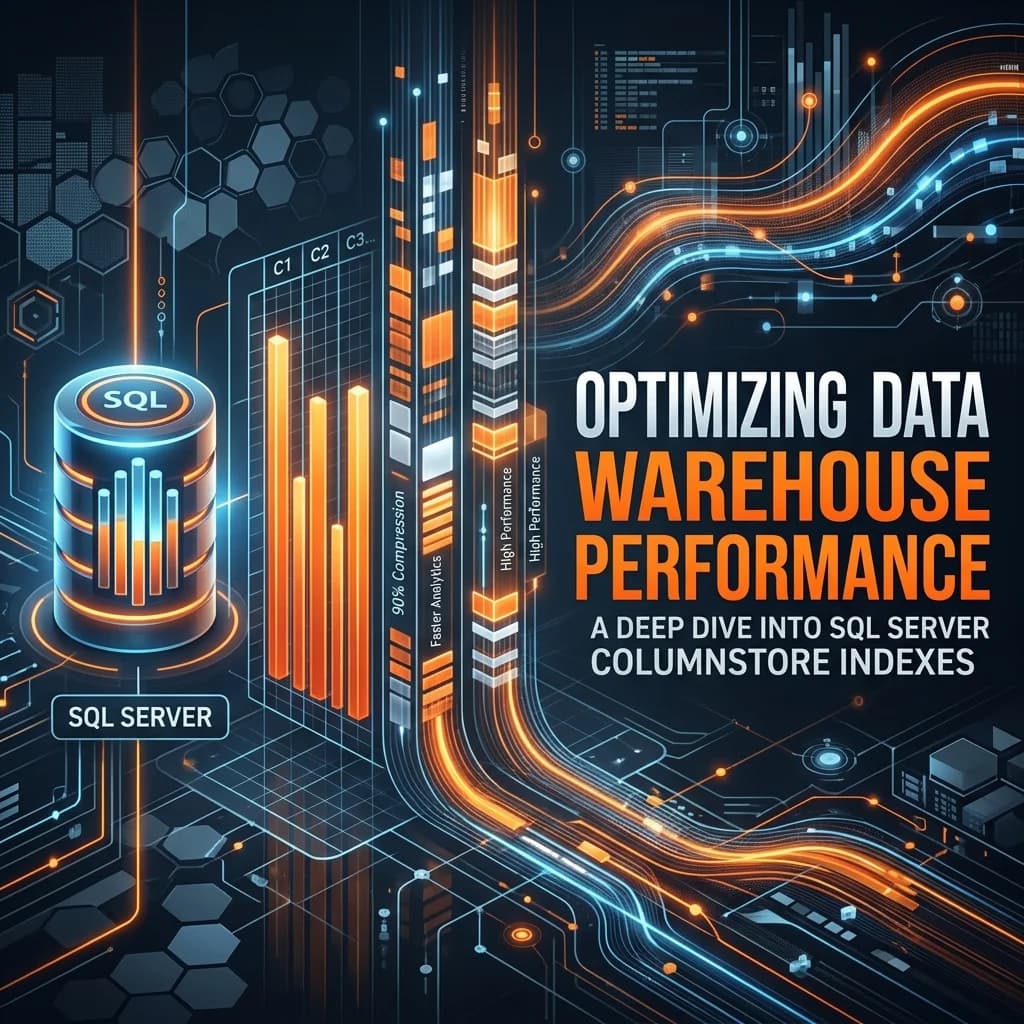

Columnstore indexes are the cornerstone of modern relational data warehousing in SQL Server. By converting the physical storage model from traditional row-oriented pages to compressed, column-oriented segments, SQL Server achieves query performance gains of up to 10x and data compression ratios of up to 10x. However, achieving these benefits requires a deep understanding of rowgroup sizing, delta stores, segment elimination, and fragmentation. This guide explores the internal mechanics of columnstore storage and details the optimization patterns required to run high-throughput enterprise analytical workloads.
For large-scale analytics platforms, disk I/O is almost always the primary bottleneck. Traditional Rowstore indexes (B-Trees) are optimized for transactional systems (OLTP) where queries select entire rows. Analytical queries (OLAP), however, typically scan millions of rows but select only a few columns. Under a Rowstore model, SQL Server must load the entire page (containing all columns) into memory, wasting massive amounts of buffer pool space. Columnstore storage eliminates this waste by storing each column in its own set of pages, loading only the requested columns into memory.
Table of Contents
- 1. Columnstore Storage Architecture
- 2. Metadata and Segment Elimination
- 3. The Delta Store & Tuple Mover Mechanics
- 4. Fragmentation Analysis and Index Maintenance
- 5. Query Tuning: Batch Mode Execution
- 6. Frequently Asked Questions (FAQ)
1. Columnstore Storage Architecture
To optimize a columnstore index, you must first understand how SQL Server physically structures columnstore data. The architecture consists of three main components: Rowgroups, Column Segments, and the Delta Store.
- Rowgroups: A logical collection of rows (ideally 1,048,576 rows) that are compressed into columnstore format at the same time.
- Column Segments: The actual physical storage unit. When a rowgroup is compressed, each column is stored as an independent segment. For a table with 10 columns, a single compressed rowgroup will contain 10 distinct column segments. Each segment contains compressed values for that specific column and is stored as an independent Large Object (LOB) page.
- Delta Store (Rowstore B-Tree): An auxiliary rowstore index that temporarily buffers small batches of incoming rows (inserts) before they are compressed into a columngroup. This prevents the high cost of compress operations for every single insert.
    flowchart TD
      Incoming[Incoming Inserts & Bulk Loads] -->|Bulk Load >= 102,400 rows| CompressedRG[Compressed Rowgroup - Columnstore]
      Incoming -->|Inserts < 102,400 rows| DeltaStore[Delta Store - B-Tree Rowstore]
      DeltaStore -->|Reaches 1,048,576 rows| ClosedRG[Closed Rowgroup]
      ClosedRG -->|Tuple Mover Background Thread| CompressedRG

      subgraph CompressedRowgroup [Compressed Rowgroup Structure]
        CompressedRG --> Seg1[Column 1 Segment]
        CompressedRG --> Seg2[Column 2 Segment]
        CompressedRG --> Seg3[Column 3 Segment]
      end
2. Metadata and Segment Elimination
One of the most powerful features of columnstore indexes is Segment Elimination. For every column segment, SQL Server stores metadata in system tables (such as sys.column_store_segments) containing the minimum and maximum values present in that segment.
When a query executes with a filter (e.g., WHERE TransactionDate >= '2026-01-01'), the query engine reads the segment metadata before scanning the actual data. If the min/max range of a segment does not overlap with the query filter, SQL Server skips (eliminates) the segment entirely. This reduces disk read operations to zero for that segment, dramatically speeding up queries.
Optimizing for Segment Elimination
Segment elimination depends heavily on data loading order. If data is loaded randomly, the min/max values of each segment will overlap, preventing segment elimination. To maximize segment elimination, sort your data by your primary filter keys (like Date or Customer ID) during the clustered index rebuild or bulk-loading process.
3. The Delta Store & Tuple Mover Mechanics
The delta store handles row updates and inserts dynamically. When a rowgroup in the delta store reaches a threshold of 1,048,576 rows, its status changes from **OPEN** to **CLOSED**. A background process called the **Tuple Mover** regularly scans for closed rowgroups, compresses them into column segments, and updates their status to **COMPRESSED**.
When a row is deleted from a compressed rowgroup, SQL Server does not physically remove it (as this would require decompressing and re-compressing the entire segment). Instead, it marks the row as deleted in a B-Tree index called the **Delete Bitmap**. During query execution, SQL Server reads the column segment and filters out any row IDs listed in the delete bitmap, incurring a slight performance penalty for heavily modified tables.
4. Fragmentation Analysis and Index Maintenance
Columnstore fragmentation is different from rowstore page fragmentation. In columnstore, fragmentation is caused by two factors:
- Too many small rowgroups: Occurs when frequent small transactions create many small compressed rowgroups (under 102,400 rows) instead of a single fully-populated rowgroup.
- High delete ratio: Occurs when a high percentage of rows in compressed rowgroups are marked as deleted in the Delete Bitmap.
To analyze columnstore fragmentation, run the following DMV query:
SELECT
    object_name(rg.object_id) AS TableName,
    rg.row_group_id AS RowGroupId,
    rg.state_desc AS State,
    rg.total_rows AS TotalRows,
    rg.deleted_rows AS DeletedRows,
    CAST(((rg.deleted_rows * 100.0) / rg.total_rows) AS DECIMAL(5,2)) AS PercentDeleted
FROM sys.dm_db_column_store_row_group_physical_stats rg
WHERE rg.object_id = OBJECT_ID('fact_sales');
Use the following maintenance guidelines based on your analysis:
- REORGANIZE: Combines multiple small compressed rowgroups into larger ones, merges delta stores, and applies changes in the delete bitmap without rebuilding the index. Reorganize runs online and is non-blocking.
- REBUILD: Decompresses and rebuilds the entire table or partition. This completely purges deleted rows and applies sorting (Z-Order/V-Order). Rebuild can be run offline or online (SQL Server Enterprise).
5. Query Tuning: Batch Mode Execution
Traditional SQL execution operates in **Row Mode**, where each query operator processes one row at a time. For analytical queries scanning millions of rows, row mode creates massive CPU overhead. Columnstore indexes enable **Batch Mode Execution**, which processes metadata and data in batches of roughly 900 rows at a time, reducing CPU instruction cycles by up to 90%.
Ensure your execution plans use Batch Mode for operations like joins, aggregations, and sorting to achieve peak performance. Avoid scalar user-defined functions (UDFs) and complex implicit type conversions, as they can force the engine back to Row Mode execution.
6. Frequently Asked Questions (FAQ)
Q1: Can I create a columnstore index on a table with primary key constraints?
Yes. Clustered columnstore tables support primary keys, unique constraints, and foreign keys. SQL Server enforces these constraints using B-Tree indexes behind the scenes, though this can add overhead during load operations.
Q2: Why are my bulk loads going into the Delta Store instead of directly to Columnstore?
SQL Server only writes bulk loads directly to compressed rowgroups if the batch size is at least 102,400 rows. Any batch smaller than 102,400 rows is routed directly to the delta store. Ensure your bulk insert size is set above this threshold.
7. Conclusion
Understanding the internals of Rowgroups, Delta Stores, and Segment Elimination allows you to unlock the full potential of SQL Server Columnstore indexes. Implement sorting during bulk loads, monitor rowgroup sizing, and run targeted reorganizations to build database architectures capable of loading and aggregating petabyte-scale data sets in milliseconds.