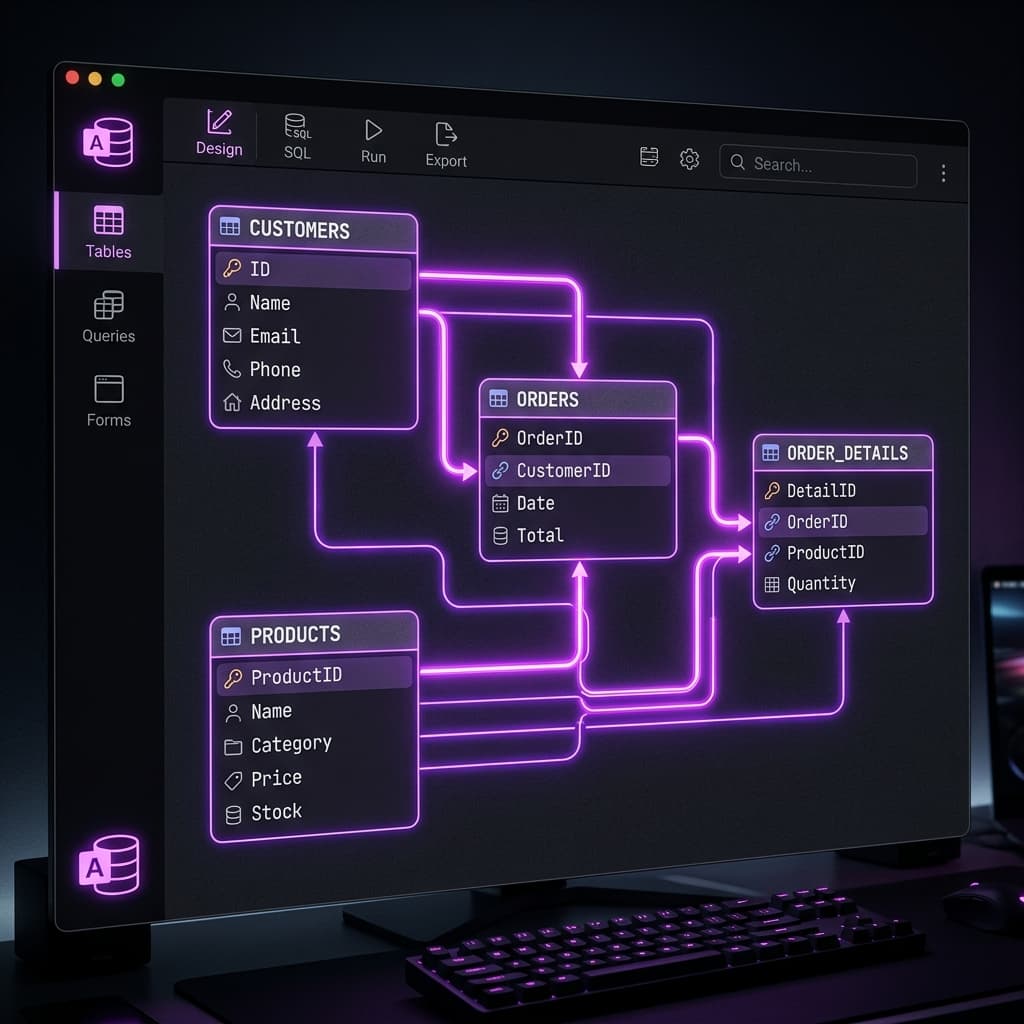

MS Access remains a powerful database tool for local business workflows. This guide explains why Access is still relevant and how to optimize database tasks.
1. The Value of MS Access for Local Workflows
While large enterprises use complex cloud databases, small businesses and local departments need simple database systems that require minimal setup costs. MS Access combines a relational database engine, user interface designer, and VBA programming environment in a single package.
2. Setting Up a VBA Macro in Access
Write a VBA sub to automate exporting sales summary reports to Excel spreadsheets:
Public Sub ExportSalesData()
    Dim outputFile As String
    outputFile = "D:\Datta Sable\dattasable\sales_export.xlsx"

    ' Export query results to Excel file
    DoCmd.TransferSpreadsheet acExport, acSpreadsheetTypeExcel12Xml, _
        "qrySalesSummary", outputFile, True
    MsgBox "Export Completed!", vbInformation
End Sub
6. Core Comparison and Metrics
Here is an operational breakdown illustrating how various approaches behave under different system constraints:
| Feature | MS Access Desktop Database | Cloud Database (SQL Server) |
|---|---|---|
| Deployment Cost | Included in Microsoft 365 suites | Monthly cloud hosting fees |
| Development Speed | Fast (built-in UI form and report builders) | Requires custom frontend development |
| User Cap | Ideal for under 10 concurrent users | Supports thousands of users simultaneously |
7. Production Best Practices
When implementing these methods in live environments, make sure your team adheres to the following checklist:
- Split Access databases into frontend (queries/UI) and backend (tables) files.
- Enforce referential integrity on all table relationships.
- Optimize queries using indexes on foreign keys.
- Backup database files daily to prevent data loss.
8. Architectural Insight
"MS Access is the Swiss Army knife of office automation. It enables developers to build working database applications in hours, not weeks." — Datta Sable, Principal BI Consultant
9. Frequently Asked Questions (FAQ)
Q1: What is the primary goal of modular system design?
To isolate components so that updating or failing a single service does not crash the entire application system.
Q2: How does edge caching improve page speed?
By storing static pages and resources close to the user geographically, reducing the round-trip network latency to the origin server.
10. Related Resources & Internal Links
For more detailed technical guides and real-world implementation blueprints, explore the following curated resources in our knowledge hub:
- Execution Chain Infrastructure: The Backbone of Deterministic AI
- Engineering the Sentinel: Architecting a 10M-Record Fraud Detection System
11. Strategic Considerations & Scalability
When incorporating solutions in Engineering, architectural scalability should be prioritized alongside immediate operational gains. For workloads relating to "The Importance of MS Access in 2026: Still Relevant, Still Powerful", teams must expect substantial growth in transactional volume and data velocity over a multi-year horizon. Mitigating this risk requires a commitment to decoupled database systems, strict data validation layers, and automated end-to-end integration workflows. By implementing continuous validation checks and maintaining detailed telemetry dashboards, enterprise engineers can identify bottleneck conditions before they cascade into high-severity client outages.
