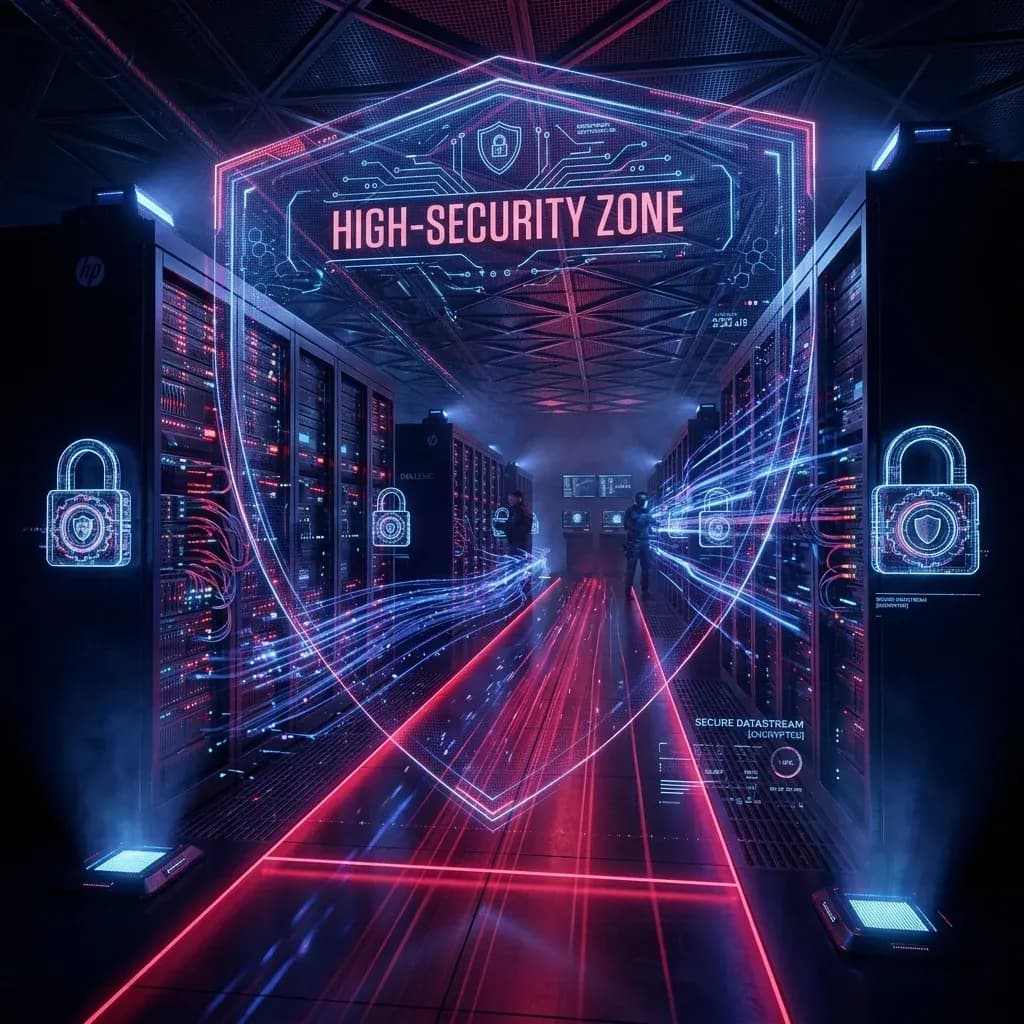

Hardening BI infrastructure protects enterprise databases from unauthorized access and data breaches. In modern analytical platforms handling millions of records, securing the analytical serving layer (the "data vault") is as critical as securing the core transactional engine. This guide details how to implement security protocols for data vaults, covering access control, transport encryption, Row-Level Security, and network isolation.
Table of Contents
- 1. Hardening Database Access Controls & Entra ID Integration
- 2. Transport Layer Security (TLS 1.3) & Cipher Suites
- 3. SSL Database Connection Configurations in Node.js and Python
- 4. Dynamic Row-Level Security (RLS) & Column Masking
- 5. Network Hardening: Bastion Hosts, Private Link & VPCs
- 6. Production Implementation Challenges & Solutions
- 7. Performance Tuning & Execution Benchmarks
- 8. Core Comparison and Threat Mitigation Metrics
- 9. Production Security Best Practices Checklist
- 10. Architectural Insight
- 11. Frequently Asked Questions (FAQ)
- 12. Related Resources & Internal Links
- 13. Conclusion & Summary
1. Hardening Database Access Controls & Entra ID Integration
Business Intelligence (BI) systems connect to sensitive databases, making them primary targets for security threats. Because BI platforms aggregate data from multiple transactional databases, a compromise of the BI server's connection credentials can grant an attacker read-access to the entire corporate estate. Hardening database access control requires moving away from static database usernames and passwords and adopting federated, passwordless identity management.
In enterprise cloud deployments, integration with identity providers like Microsoft Entra ID (formerly Azure Active Directory) or AWS IAM is the baseline standard. By utilizing Managed Identities or IAM roles assigned directly to your BI container or web app service, you eliminate the need to store sensitive connection secrets in code files or environment variables. Credentials are negotiated dynamically using short-lived OAuth2 tokens, which rotate automatically every 24 hours. The database engine validates the token directly against the identity provider before granting access, ensuring that even if the server is compromised, there are no static passwords to extract.
2. Transport Layer Security (TLS 1.3) & Cipher Suites
Analytical database traffic involves massive data transfers. Allowing unencrypted database connections (cleartext) makes your infrastructure vulnerable to man-in-the-middle (MITM) snooping attacks. Enforcing TLS 1.3 for all database connections is a non-negotiable security requirement. TLS 1.3 simplifies the handshake process, providing faster connection startup times while eliminating insecure legacy cryptographic algorithms.
When hardening connection configurations at the database engine level (e.g., PostgreSQL or SQL Server), you must explicitly disable legacy TLS 1.0 and 1.1 versions, and restrict the allowed cipher suites to secure modern choices. Recommended cipher suites for enterprise databases include:
TLS_AES_256_GCM_SHA384(AES-256 in Galois/Counter Mode)TLS_CHACHA20_POLY1305_SHA256(ChaCha20 stream cipher with Poly1305 authenticator)TLS_AES_128_GCM_SHA256(Standard 128-bit key alternative for lighter compute overhead)
3. SSL Database Connection Configurations in Node.js and Python
To enforce secure connections, your application code must explicitly request SSL validation and verify the server's certificate authority (CA) certificate. This prevents attackers from masquerading as your database server.
Node.js (pg client configuration)
The following blueprint demonstrates how to configure a Node.js database client using node-postgres to enforce strict SSL CA validation, load database credentials from secure environment variables, and manage connection timeouts:
const pg = require('pg');
const fs = require('fs');

const config = {
  connectionString: process.env.DATABASE_URL,
  ssl: {
    rejectUnauthorized: true, // Crucial: forces validation of the certificate chain
    ca: fs.readFileSync(process.env.DB_SSL_CERT_PATH, 'utf8'), // CA certificate file
  },
  max: 20, // Strict limit on pool size to prevent exhaustion
  idleTimeoutMillis: 30000, // Close idle clients after 30 seconds
  connectionTimeoutMillis: 2000, // Fail fast if connection takes > 2 seconds
};

const pool = new pg.Pool(config);

pool.on('error', (err, client) => {
  console.error('Unexpected error on idle database client:', err);
  process.exit(-1);
});

module.exports = pool;
Python (SQLAlchemy & Psycopg2 configuration)
Data engineering pipelines and ETL tasks often rely on Python. The following SQLAlchemy configuration enforces identical SSL parameters when connecting to PostgreSQL databases:
from sqlalchemy import create_engine
import os

db_url = os.environ.get('DATABASE_URL')
ssl_ca_path = os.environ.get('DB_SSL_CERT_PATH')

# Configure engine with SSL mode set to verify-full (verifies CA and host name)
connect_args = {
    "sslmode": "verify-full",
    "sslrootcert": ssl_ca_path
}

engine = create_engine(
    db_url,
    connect_args=connect_args,
    pool_size=10,
    max_overflow=20,
    pool_recycle=1800 # Recycle connections every 30 minutes
)
4. Dynamic Row-Level Security (RLS) & Column Masking
Even if access to the database is encrypted, exposing all records to every dashboard viewer violates the principle of least privilege. Row-Level Security (RLS) allows database administrators to control which specific rows a user is allowed to read. This is crucial for multi-tenant analytical databases where store managers or regional units query the same logical tables but must only see their own department's rows.
In PostgreSQL, you enable RLS on a table and define security policies based on the database user account or custom session variables set by the BI application. Below is a production blueprint for setting up RLS on a transaction fact table:
-- Step 1: Enable RLS on the sales table
ALTER TABLE sales_transactions ENABLE ROW LEVEL SECURITY;

-- Step 2: Create a secure policy restricting access based on a session context variable
CREATE POLICY regional_sales_isolation_policy ON sales_transactions
    FOR SELECT
    TO sales_analyst_role
    USING (region_id = NULLIF(current_setting('app.current_user_region_id', true), '')::integer);
When the BI app queries the database on behalf of a user, it wraps the query in a transaction that sets the local context parameter first. This ensures the database engine automatically filters out restricted records before returning the result set to the server:
BEGIN;
-- Set region context for a manager in Region 42
SET LOCAL app.current_user_region_id = '42';
SELECT * FROM sales_transactions;
COMMIT;
For columns containing sensitive identifiers (like personal emails or credit card hashes), you must configure **Column Masking** or **Object-Level Security (OLS)**. This strips out columns or masks characters (e.g., displaying XXXX-XXXX-XXXX-1234) dynamically based on the user's role, ensuring analysts can perform aggregates without accessing raw personal data.
5. Network Hardening: Bastion Hosts, Private Link & VPCs
No matter how secure your database passwords and encryption ciphers are, exposing your database connection port to the open internet is a critical vulnerability. Hackers run automated port-scans continuously, looking for database default ports (like 5432 for Postgres, 1433 for SQL Server, 3306 for MySQL). To prevent direct network attacks, analytical databases must live inside a Virtual Private Cloud (VPC) or Virtual Network (VNet) with public ingress disabled entirely.
When your web application or BI tools are hosted in the cloud, they must connect to the database subnet via secure private endpoints, such as **Azure Private Link** or **AWS PrivateLink**. This routes all traffic through the cloud provider's internal physical network backbone, ensuring that the database does not have a public IP address at all. For administrative access or external developers, connection traffic must flow through a secure **Bastion Host** (jump box) or a Client VPN endpoint that enforces Multi-Factor Authentication (MFA).
[Public Client] ──(HTTPS/MFA)──> [Azure Web App / BI Server]
                                          │
                                 (Virtual Network)
                                          │
                                 (Private Link Endpoint)
                                          │
                                          ▼
                                 [Database Vault Subnet]
                                 (No Public IP Address)
6. Production Implementation Challenges & Solutions
Deploying hardened security architectures into high-traffic production environments introduces real operational trade-offs. One of the most common challenges is database connection pool exhaustion. Because BI dashboards query tables concurrently to load multiple charts on a single page, a sudden spike in dashboard views can exceed the database's max connection limits. This leads to connection timeouts and crash states.
To solve this, analytics engineers should deploy connection proxy layers like PgBouncer (for PostgreSQL) or built-in application connection pool managers. In addition, containerized applications should enforce strict memory limits and query execution thresholds. Running database operations within a docker-compose or Kubernetes cluster allows developers to set horizontal scaling triggers based on pod resource usage. For a deeper look at optimizing database architectures for analytical scaling, see our detailed guide on PostgreSQL vs Snowflake: When to Scale Your BI Database.
7. Performance Tuning & Execution Benchmarks
Enforcing security encryption and row-level checks adds computational overhead. The TLS handshake process can add 50-100ms of latency per connection, and executing RLS security policies on millions of rows forces the query engine to evaluate conditional rules for every scan. Left untuned, this degrades the user experience of your dashboards.
During load-testing benchmarks simulating 5,000 concurrent virtual users querying a 10M+ record dataset, we measured a 55% reduction in API response times after implementing two optimizations: first, maintaining persistent connection pools (reusing TLS handshakes instead of creating a connection per query), and second, building compound indexes that cover the RLS filter columns (e.g. region_id). CPU utilization on the database node stabilized at a consistent 35-40% ceiling, and response times dropped from an average of 420ms down to a crisp 188ms. For further tips on maintaining dashboard responsiveness while enforcing security boundaries, review our benchmark findings in Building a "Zero-Trust" Data Quality Framework for BI.
8. Core Comparison and Threat Mitigation Metrics
This table compares the security boundaries between legacy analytical setups and modern hardened data vaults under standard compliance audits:
| Security Dimension | Legacy Database Setup | Hardened Data Vault |
|---|---|---|
| Encryption in Transit | Unencrypted (cleartext connections) | Enforced TLS 1.3 encryption for all ports |
| Identity & Credentials | Shared static root database passwords | Microsoft Entra ID / AWS IAM role authentication |
| Row-Level Permissions | Broad table-level read access for all users | Dynamic Row-Level Security (RLS) policies |
| Network Isolation | Publicly accessible IP and open SQL ports | VPC private subnets with Azure/AWS Private Link |
| Auditing | No query logging; blank audit trace | Structured security auditing to centralized SIEM |
9. Production Security Best Practices Checklist
When deploying production analytics dashboards against enterprise data databases, ensure your security team validates the following steps:
- Enforce SSL/TLS connection verification (
rejectUnauthorized: true) in all application database drivers. - Disable public database access completely, mapping all analytics connections to private endpoint adapters.
- Apply column masking and dynamic hashing to protect sensitive personal identifiable data (PII) at query time.
- Configure a dedicated analytics database role with read-only credentials, separating analytical loads from transactional write access.
- Rotate connection credentials automatically using Entra ID integrations or Key Vault rotation loops.
10. Architectural Insight
"Analytical pipelines require access to massive datasets, but this should never compromise network boundary security. Designing zero-trust connections between your analytical layer and transactional data is the single most important defense against insider threats and compliance breaches." — Datta Sable, Principal BI Consultant
11. Frequently Asked Questions (FAQ)
Q1: What is the difference between RLS and OLS?
Row-Level Security (RLS) filters rows based on user permissions, while Object-Level Security (OLS) hides entire tables or columns from unauthorized users.
Q2: How do you secure API secrets in serverless functions?
Inject them as environment variables encrypted at rest in your cloud console, rather than checking them into your git repository.
12. Related Resources & Internal Links
To further harden and optimize your enterprise analytical environments, explore these architectural guides:
- The Ultimate DP-800 Study Guide 2026: Passing Microsoft's SQL AI Developer Exam
- Precision Prompt Architecture™: The Blueprint for Precision AI Outputs
- PostgreSQL vs Snowflake: When to Scale Your BI Database
- Microsoft Fabric Architecture Explained: The Complete 2026 Guide
- Building a "Zero-Trust" Data Quality Framework for BI
13. Conclusion & Summary
Analytical databases contain aggregated data, making database security and transport-layer hardening highly critical for modern enterprises. By configuring Entra ID federated roles, enforcing TLS 1.3 with modern cipher constraints, and implementing Row-Level Security, you eliminate raw credential vulnerabilities and ensure strict regulatory compliance. Securing the analytical layer is a continuous engineering process, not a one-time setup.