
Introduction
The landscape of cloud data platforms is in constant evolution, presenting both immense opportunities and complex architectural dilemmas for enterprise organizations. At the core of many modern data strategies lies robust data integration and orchestration. For years, Azure Data Factory (ADF) has served as a cornerstone service for extract, transform, and load (ETL/ELT) processes within the Microsoft Azure ecosystem.
However, the recent introduction of Microsoft Fabric, a unified analytics platform, brings with it a new iteration: Microsoft Fabric Data Factory (Fabric DF). This convergence raises critical questions for data platform architects and engineers: How do these services compare in terms of capabilities? What are the cost implications? And crucially, what is the strategic path forward for existing ADF deployments and greenfield projects in 2026 and beyond?
This article provides an authoritative, enterprise-grade analysis of Microsoft Fabric Data Factory versus Azure Data Factory. We will dissect their architectural paradigms, compare their feature sets with a forward-looking perspective to 2026, evaluate their distinct cost models, and outline a practical migration strategy to guide your data platform decisions. Our goal is to equip you with the insights needed to make informed choices that optimize performance, cost efficiency, and future scalability for your organization.
Key Takeaways
- Fabric DF for Unified Experience: Microsoft Fabric Data Factory excels in providing a unified, deeply integrated experience, particularly for workloads leveraging OneLake as the central data store. It simplifies the end-to-end data analytics lifecycle within a single SaaS platform.
- ADF for Broad Versatility: Azure Data Factory continues to offer broader integration capabilities, a more mature feature set (e.g., SSIS IR), and finer-grained control over compute for highly specific or hybrid scenarios that extend beyond the Fabric ecosystem.
- Divergent Cost Models: ADF follows a granular, pay-as-you-go model, while Fabric DF operates under a simplified, capacity-based model (Fabric Capacity Units). The latter can offer significant TCO advantages by eliminating internal egress costs and consolidating compute for integrated Fabric workloads.
- Incremental Migration is Key: For existing ADF deployments, a strategic, incremental migration approach is recommended. This involves identifying high-value, low-risk pipelines for early adoption in Fabric DF while strategically re-platforming complex transformations (e.g., SSIS) over time.
- Strategic Direction: By 2026, Fabric Data Factory is positioned as the strategic choice for Microsoft's cloud-native analytics ecosystem, especially for organizations consolidating their data estate around OneLake and leveraging the full breadth of Fabric workloads.
Architectural Paradigms: ADF's Versatility vs. Fabric's Unification
Understanding the fundamental architectural differences is crucial for distinguishing between Azure Data Factory and Microsoft Fabric Data Factory. While both serve the purpose of data orchestration, their design philosophies cater to different strategic objectives.
Azure Data Factory (ADF): The Traditional Hub
Azure Data Factory operates as a standalone Platform-as-a-Service (PaaS) offering within Azure. Its primary role is to orchestrate and automate data movement and transformation across a vast array of data stores, both within Azure and external environments.
- Architecture: ADF is a cloud-based ETL and ELT service that allows you to create data-driven workflows for orchestrating data movement and transforming data at scale. It's a control plane that integrates with various compute engines (e.g., Azure Databricks, Azure Synapse Analytics, HDInsight, Azure SQL Database) for actual data processing.
- Strengths:
- Broad Connector Ecosystem: ADF boasts over 200 built-in connectors to diverse data sources and sinks, ranging from various Azure services to on-premises databases, SaaS applications, and generic protocols (e.g., REST, SFTP).
- Mature Feature Set: It offers advanced capabilities like Mapping Data Flows for visual, code-free data transformations, and the SSIS Integration Runtime (IR) for lifting and shifting existing SQL Server Integration Services (SSIS) packages to the cloud.
- Fine-grained Compute Control: Users have significant control over the underlying compute resources, especially with Self-Hosted IR for on-premises connectivity and customizable Azure IR configurations for performance tuning.
- Robust CI/CD Integration: Deep integration with Azure DevOps and GitHub for source control, automated deployments, and release management.
- Typical Use Cases: Hybrid data integration scenarios, complex multi-stage ETL/ELT pipelines across heterogeneous environments, migrations of legacy SSIS workloads, and organizations with existing, large-scale Azure footprints requiring granular control over compute.
Microsoft Fabric Data Factory (Fabric DF): The Integrated Experience
Microsoft Fabric Data Factory is not a standalone service but an intrinsic component of the Microsoft Fabric SaaS platform. It is designed from the ground up to be deeply integrated with OneLake (Fabric's unified, logical data lake) and other Fabric workloads, providing a cohesive analytics experience.
- Architecture: Fabric DF comprises Data Pipelines (for orchestration) and Dataflows Gen2 (for low-code data transformation). It leverages Fabric's unified compute capacities and storage (OneLake) for all its operations, eliminating the need to manage separate compute instances or orchestrate across different Azure services.
- Strengths:
- Unified Platform Integration: Native integration with OneLake, Synapse Data Engineering, Data Warehouse, Real-Time Analytics, and Power BI. This simplifies data movement and governance across the entire analytics lifecycle.
- Simplified Data Ingestion: Dataflows Gen2 provides a Power Query-like experience for data ingestion and transformation directly into OneLake. Data Pipelines offer robust orchestration capabilities for Fabric items like Notebooks, Stored Procedures, and Dataflows.
- Direct-to-OneLake: Optimized data ingestion and transformation directly into OneLake, potentially reducing data egress costs and simplifying data governance within the Fabric ecosystem.
- Simplified Capacity Management: Leverages the unified Fabric Capacity Units (CUs), abstracting away the complexities of managing individual compute engines for different workloads.
- Unified Governance & Security: Benefits from Fabric's integrated security model, AAD integration, and Microsoft Purview for data discovery, lineage, and policy enforcement across all Fabric items.
- Typical Use Cases: End-to-end analytics scenarios within the Microsoft Fabric platform, building modern data warehouses or lakehouses on OneLake, implementing data mesh architectures, and greenfield projects seeking a simplified, integrated analytics experience.
Feature Parity in 2026: A Deep Dive
Assessing feature parity between ADF and Fabric DF requires a forward-looking perspective, acknowledging that Fabric is a rapidly evolving platform. By 2026, we anticipate significant advancements in Fabric DF, bringing it closer to, and in some areas surpassing, ADF for scenarios within the Fabric ecosystem.
Data Integration Capabilities
- Connectors:
- ADF: As of 2024, ADF maintains a superior breadth of connectors, particularly for legacy systems, niche SaaS applications, and various on-premises databases. It is the go-to for truly heterogeneous environments.
- Fabric DF (Outlook 2026): Fabric DF's connector ecosystem is rapidly expanding. By 2026, it is projected to achieve near-parity for most common data sources (e.g., Azure SQL DB, SQL Server, PostgreSQL, MySQL, Azure Storage, Salesforce, SharePoint) and will continue to prioritize deep integration with other Microsoft services. However, ADF is likely to retain its advantage for very specific or older enterprise application connectors for some time.
- Data Transformation:
- Mapping Data Flows (ADF): A mature, visual transformation service optimized for serverless Spark execution. It offers robust capabilities for complex data cleansing, aggregation, and joining.
- Dataflows Gen2 (Fabric DF): Offers a similar low-code, visual transformation experience, built on the Power Query engine and executing on Spark within Fabric capacity. By 2026, Dataflows Gen2 is expected to have a comparable feature set for most common transformation patterns, benefiting from direct integration with OneLake and other Fabric compute engines (e.g., Notebooks for advanced Spark logic).
- Data Pipelines (Orchestration): Both platforms offer robust pipeline orchestration. Fabric DF's pipelines are inherently optimized for calling and integrating Fabric items (e.g., Dataflows Gen2, Synapse Notebooks, Data Warehouse stored procedures, Spark job definitions). ADF's pipelines are general-purpose, orchestrating across a wider array of Azure compute services.
- Copy Activity: Core data movement functionality is present in both. Fabric DF's copy activity is optimized for direct, high-performance ingestion into OneLake, often resulting in better performance and lower internal data transfer costs within the Fabric boundary.
- SSIS Integration Runtime (IR): This remains a key differentiator. ADF offers a fully managed SSIS IR, allowing organizations to lift and shift existing SSIS packages to the cloud. Fabric DF does not have a native SSIS IR. For organizations with significant SSIS investments, this necessitates a re-platforming strategy if they wish to consolidate entirely within Fabric.
- Runtime Environments: ADF uses Azure IR or Self-Hosted IR, offering granular control. Fabric DF leverages the unified Fabric Capacity compute, which simplifies management but provides less direct control over underlying infrastructure.
Management, Monitoring, and Governance
- Monitoring: Both platforms provide comprehensive monitoring capabilities through their respective portals. Fabric benefits from a unified monitoring experience that spans all Fabric workloads, offering a holistic view of the data estate.
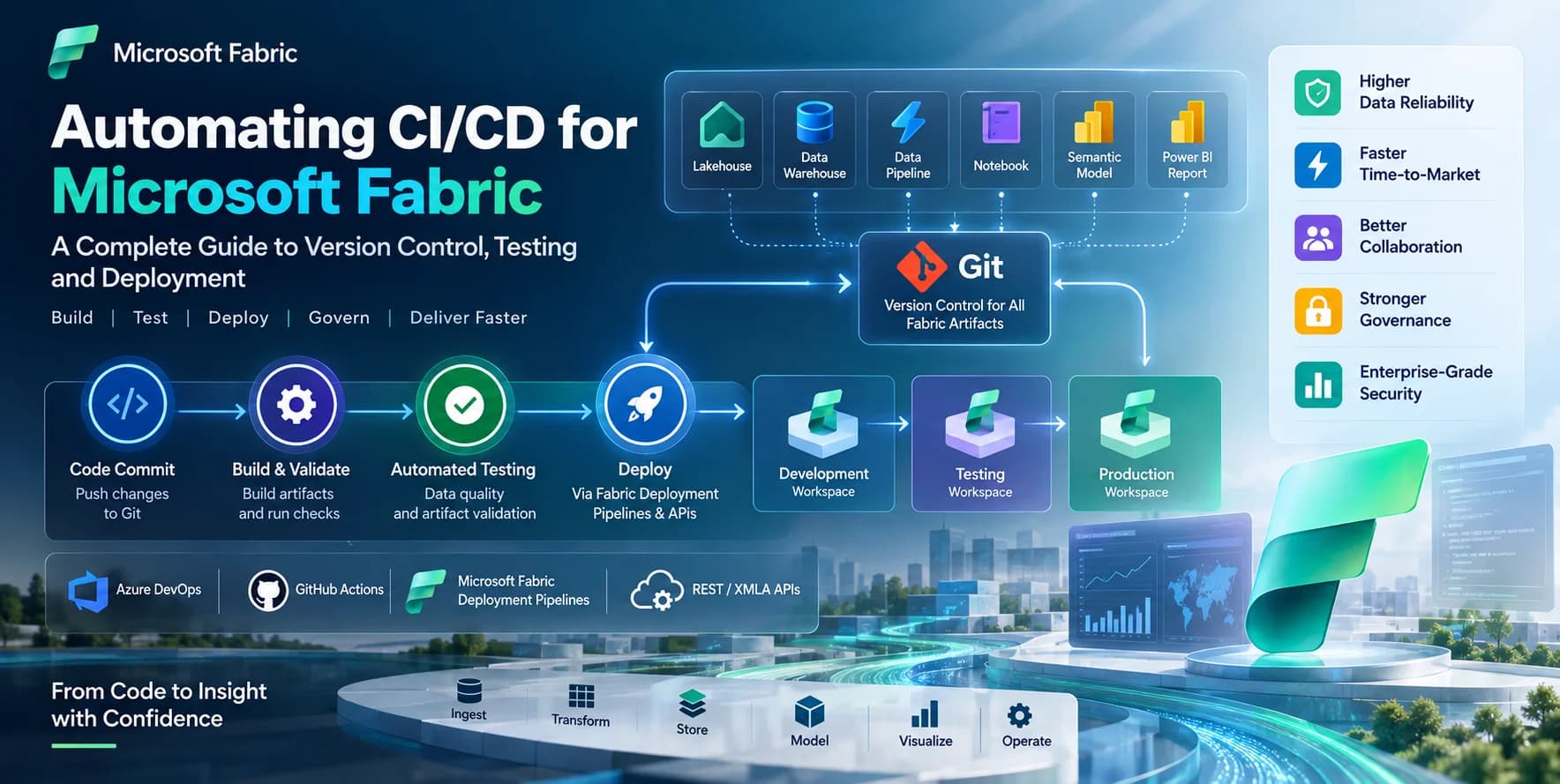
- CI/CD: ADF has mature CI/CD integration with Azure DevOps and GitHub, relying on ARM templates for deployment. Fabric DF also supports CI/CD via Git integration, focusing on deploying Fabric artifacts (pipelines, notebooks, dataflows) directly within workspaces. The approach is slightly different, but the end goal of automated deployments is achieved.
- Security & Governance: ADF relies on Azure Role-Based Access Control (RBAC), Azure Key Vault for credential management, and integration with Azure Purview for data cataloging. Fabric DF leverages the unified Fabric security model, Azure Active Directory (AAD), and deep integration with Microsoft Purview for end-to-end data governance, discovery, and lineage across all Fabric items and OneLake assets. This integrated governance is a significant advantage for Fabric.
Example: Hybrid Data Ingestion
Consider a scenario where you need to ingest data from an on-premises SQL Server into a Lakehouse. Here's how both platforms would approach it:
ADF Approach:
- Deployment: Install and configure a Self-Hosted Integration Runtime (SHIR) on an on-premises machine with connectivity to the SQL Server.
- Linked Services: Create an ADF Linked Service for the on-premises SQL Server (using SHIR) and another for the destination Azure Data Lake Storage Gen2 (which underpins OneLake).
- Pipeline: Develop an ADF pipeline with a Copy Data activity. The source would be the SQL Server dataset, and the sink would be the ADLS Gen2 dataset.
// Example ADF Pipeline JSON (conceptual for a Copy Activity)
{
    "name": "OnPremSqlToADLSGen2ADF",
    "properties": {
        "activities": [
            {
                "name": "CopyOnPremSQLData",
                "type": "Copy",
                "inputs": [
                    { "referenceName": "OnPremSQLDataset", "type": "DatasetReference" }
                ],
                "outputs": [
                    { "referenceName": "ADLSGen2LakehouseDataset", "type": "DatasetReference" }
                ],
                "linkedServiceName": {
                    "referenceName": "AzureSqlOnPremLinkedService", "type": "LinkedServiceReference"
                },
                "policy": { "timeout": "0.12:00:00", "retry": 0 },
                "typeProperties": {
                    "source": { "type": "SqlServerSource", "sqlReaderQuery": "SELECT * FROM Sales.Orders WHERE OrderDate >= '2024-01-01'" },
                    "sink": { "type": "DelimitedTextSink", "storeSettings": { "type": "AzureBlobFSWriteSettings" } },
                    "dataIntegrationUnits": 4 // Example performance setting
                }
            }
        ]
    }
}
Fabric DF Approach (Dataflow Gen2):
- Gateway: Configure a Fabric Data Gateway (similar to ADF's SHIR) on-premises to enable connectivity to the SQL Server.
- Dataflow Gen2 Creation: Navigate to a Fabric workspace and create a new Dataflow Gen2 item.
- Source Connection: Add a new data source, select 'SQL Server', provide connection details (using the configured gateway).
- Transformation (Optional): Use the Power Query Online experience to select tables, filter rows, merge queries, or perform any necessary transformations.
- Destination: Set the data destination to a Lakehouse table within the current Fabric workspace. Fabric automatically manages the writing to OneLake in Delta Lake format.
# Example Fabric Dataflow Gen2 (conceptual Python equivalent logic)
# This is NOT a literal code block for Dataflow Gen2, as it's primarily a visual tool.
# However, it represents the underlying logic that Fabric orchestrates.

from pyspark.sql import SparkSession
from pyspark.sql.functions import col

def ingest_and_transform_sales_data(sql_conn_string, sql_table, lakehouse_name, target_table_name):
    spark = SparkSession.builder.getOrCreate()

    # 1. Connect to SQL Server (via configured Fabric Gateway)
    # Fabric's internal connectors handle the JDBC connection setup and credential management
    df_sql = spark.read \
        .format("jdbc") \
        .option("url", sql_conn_string) \
        .option("dbtable", sql_table) \
        .load()

    # 2. Perform Transformations (as defined in Power Query or Spark)
    df_transformed = df_sql.filter(col("OrderDate") >= '2024-01-01') \
                           .select(col("OrderID"), col("CustomerID"), col("OrderDate"), col("TotalAmount"))

    # 3. Write to Lakehouse (automatically manages Delta Lake format in OneLake)
    # The 'saveAsTable' method directly integrates with the Lakehouse item.
    df_transformed.write \
        .format("delta") \
        .mode("overwrite") \
        .saveAsTable(f"{lakehouse_name}.{target_table_name}")

    print(f"Successfully ingested and transformed data into {lakehouse_name}.{target_table_name}")

# In the Fabric UI, this logic is configured visually in Dataflow Gen2.
# The Lakehouse and table names would be selected from dropdowns.
Cost Implications and Optimization Strategies
The financial implications of choosing between ADF and Fabric DF are significant and extend beyond direct service costs to total cost of ownership (TCO), operational overhead, and data egress charges.
Azure Data Factory Cost Model
ADF operates on a granular, pay-as-you-go model. Costs are itemized based on various activities and resource consumption:
- Orchestration & Data Movement: Charged per activity run (e.g., Copy, Lookup, Web activities) and per data integration unit (DIU) hour for copy activities.
- Data Flow Compute: Billed based on the cluster size (vCore hours) and execution duration of Mapping Data Flows. This can be substantial for complex transformations on large datasets.
- SSIS Integration Runtime: Charged per vCore hour for the provisioned SSIS IR, regardless of actual package execution. This is an always-on cost.
- Managed VNet: Additional costs if using managed virtual networks for private endpoint connectivity.
- Egress Costs: Standard Azure networking egress charges apply when data moves out of Azure regions or between distinct Azure services (e.g., ADF orchestrating data from Azure Blob Storage to Azure Synapse Analytics within different VNETs).
- Optimization: Requires careful monitoring of pipeline runs, optimizing Data Flow expressions for efficient execution, right-sizing SSIS IRs, and leveraging techniques like tumbling window triggers to reduce activity runs.
Microsoft Fabric Cost Model
Fabric introduces a consolidated, capacity-based pricing model that simplifies billing and fosters cost predictability.
- Capacity-based Billing: All Fabric workloads (Data Factory, Synapse Data Engineering, Data Warehouse, Power BI, Real-Time Analytics) consume from a shared pool of Fabric Capacity Units (CUs). You purchase or reserve CUs, and usage is metered against this capacity.
- Simplified Billing: This model offers predictable monthly costs and eliminates the need to track individual service consumption for each component within Fabric.
- OneLake Advantage: A significant cost differentiator is the elimination of data egress and internal data transfer costs for data movement within Fabric, particularly when data is moving to or from OneLake. This is a major TCO reducer for OneLake-centric architectures.
- Optimization: Focuses on right-sizing Fabric capacity for anticipated peak workloads, scheduling jobs to optimize capacity utilization, and leveraging burst capacity for transient spikes. The consolidated nature often means better utilization of shared compute resources.
Cost Comparison & Optimization
Consider a scenario involving high-volume raw data ingestion into a Lakehouse, followed by several stages of transformation using Spark.
- ADF Scenario:
- Copy activity costs for ingestion.
- Mapping Data Flow compute costs for transformations.
- Azure Data Lake Storage Gen2 costs for storing raw and transformed data.
- Potential data egress costs if data moves between various Azure services or regions during the process, before landing in the final Lakehouse equivalent.
- Fabric DF Scenario:
- Dataflow Gen2/Data Pipeline activity costs, consumed from Fabric Capacity.
- Spark Notebook compute costs for advanced transformations, also consumed from Fabric Capacity.
- OneLake storage costs.
- Key Advantage: No additional data movement or egress costs when data is copied from an external source into OneLake, or transformed within OneLake by Fabric compute engines. This can lead to substantial savings for large-scale data platforms.
For organizations with significant SSIS investments, maintaining them in ADF with SSIS IR might appear cheaper than re-platforming initially. However, the long-term TCO must consider the operational overhead of managing disparate systems and the lack of unified governance, which Fabric addresses.
Migration Strategy: From ADF to Microsoft Fabric Data Factory
Migrating from an established ADF environment to Microsoft Fabric Data Factory should be a strategic, incremental process rather than a "big bang" approach. This minimizes risk and allows organizations to leverage Fabric's advantages while gradually re-platforming existing assets.
Incremental Adoption vs. Big Bang
- Recommendation: Incremental Adoption. Fabric is an evolution of Microsoft's data platform, not merely a direct feature-for-feature replacement for ADF. A phased approach allows teams to gain expertise, validate solutions, and mitigate risks.
Phase 1: Assess & Pilot
- Inventory Current State: Catalogue all existing ADF pipelines, datasets, linked services, and especially Mapping Data Flows and SSIS packages. Document their dependencies, schedules, and criticality.
- Identify Fabric Pilot Candidates: Select low-risk, high-value data ingestion or transformation pipelines that align well with Fabric's strengths. Ideal candidates include:
- New data sources targeting OneLake.
- Existing ADF pipelines that directly feed into Azure Data Lake Storage Gen2 and can be easily re-pointed to OneLake.
- Simple transformations that can be re-created using Dataflows Gen2.
- Establish Fabric Environment: Provision a new Fabric workspace and create core items like a Lakehouse.
- Pilot Project Execution: Re-implement the selected pilot pipelines in Fabric DF (Dataflows Gen2 for ingestion/simple transformation, Data Pipelines for orchestration). This helps teams familiarize themselves with the Fabric experience, CI/CD, and monitoring.
Phase 2: Modernize & Re-platform
Once familiar with Fabric, begin a more structured migration:
- Data Ingestion: Gradually shift ADF copy activities that currently target ADLS Gen2 to Fabric Data Pipelines or Dataflows Gen2, directly targeting OneLake tables. Prioritize internal data sources or those with high egress costs from ADF.
- Data Transformation (Mapping Data Flows): Evaluate existing Mapping Data Flows. For simpler ones, re-create them in Dataflows Gen2. For highly complex transformations, consider re-architecting them using PySpark notebooks within Fabric Synapse Data Engineering, which offers greater flexibility and performance tuning for large-scale data processing.
- SSIS Packages: This is often the most significant migration challenge due to the re-platforming effort. Options include:
- Re-platform to Fabric DF/Synapse Engineering: Convert SSIS packages into Dataflows Gen2 or Spark notebooks (PySpark/Scala) for long-term modernization and consolidation within Fabric. This is the recommended strategic path.
- Maintain in ADF: If the SSIS investment is too large and critical, continue to run them in ADF with SSIS IR for the short to medium term. Recognize this adds operational overhead and does not align with Fabric's unified vision.
- Third-party Migration Tools: Explore specialized tools that assist in converting SSIS packages to cloud-native ETL tools, though manual refactoring is often required.
- Orchestration & Workflow: Convert ADF pipeline orchestration logic to Fabric Data Pipelines, leveraging its native integration with other Fabric items (Notebooks, Dataflows, Data Warehouse)..
Phase 3: Operationalize & Optimize
- CI/CD Implementation: Establish robust CI/CD pipelines for all Fabric artifacts using Git integration.
- Unified Monitoring & Alerting: Leverage Fabric's unified monitoring capabilities to set up comprehensive alerts and dashboards for all data integration processes.
- Cost Optimization: Continuously monitor Fabric Capacity utilization, optimize schedules, and right-size capacity to manage costs effectively.
- Decommission ADF Assets: Once pipelines are successfully migrated and validated in Fabric, decommission the corresponding ADF resources to avoid incurring unnecessary costs.
Practical Migration Steps for a Simple Pipeline
Let's assume an ADF pipeline copies data from an Azure SQL Database to an ADLS Gen2 folder, and you want to migrate this to a Fabric Lakehouse.
Before Migration (ADF):
- Linked Services: Azure SQL Database, Azure Data Lake Storage Gen2.
- Datasets: SQL Source Dataset, ADLS Gen2 Sink Dataset.
- Pipeline: A simple Copy Data activity from SQL Source to ADLS Gen2 Sink.
Migration to Fabric (Conceptual Steps):
- Provision Fabric Workspace & Lakehouse: Create a dedicated Fabric workspace and a new Lakehouse item within it.
- Create Fabric Dataflow Gen2 (for ingestion):
- In your Fabric workspace, create a new
Dataflow Gen2item. - Select
Get Data->Azure SQL Database. Provide connection details (server, database, credentials). - Select the table(s) you wish to ingest.
- (Optional) Use the Power Query Editor to perform light transformations, filtering, or column renaming.
- Click
Add data destination->Lakehouse. Choose your Lakehouse, selectNew table, and provide a table name (e.g.,raw_sql_data). - Publish the Dataflow.
- In your Fabric workspace, create a new
- Create Fabric Data Pipeline (for orchestration/post-processing):
- In your Fabric workspace, create a new
Data Pipelineitem. - Add a
Dataflowactivity. Configure it to run theDataflow Gen2you just created. - (Optional) Add a subsequent
Notebookactivity if further Spark-based transformations are required on the data now landed in the Lakehouse.
- In your Fabric workspace, create a new
# Example Fabric Synapse Notebook (PySpark) activity
# This notebook would run AFTER the Dataflow Gen2 has ingested raw data
# and performs further processing on the Lakehouse table.

from pyspark.sql import SparkSession
from pyspark.sql.functions import col, year, current_timestamp

spark = SparkSession.builder.getOrCreate()

lakehouse_name = "MyEnterpriseLakehouse" # Name of your Fabric Lakehouse
raw_table_name = "raw_sql_data"      # Table created by Dataflow Gen2
processed_table_name = "processed_sales_data"

# Read data from the raw table in the Lakehouse
df_raw = spark.read.format("delta").table(f"{lakehouse_name}.{raw_table_name}")

# Perform transformations (e.g., add a calculated column, apply business rules)
df_processed = df_raw.withColumn("order_year", year(col("OrderDate"))) \
                     .withColumn("ingestion_timestamp", current_timestamp()) \
                     .filter(col("Amount") > 0) # Example business logic

# Write processed data back to the Lakehouse, potentially to a new 'curated' table
df_processed.write \
    .format("delta") \
    .mode("overwrite") \
    .option("overwriteSchema", "true") \
    .saveAsTable(f"{lakehouse_name}.{processed_table_name}")

print(f"Data processed and saved to {lakehouse_name}.{processed_table_name}")
Best Practices and Strategic Considerations for 2026
Making the right architectural decision between ADF and Fabric DF requires careful consideration of current needs, future roadmap, and adherence to enterprise best practices.
When to Choose Azure Data Factory
- Legacy SSIS Dependencies: If your organization has a significant, critical investment in SSIS packages and the cost/effort of re-platforming to cloud-native alternatives is prohibitive in the short-to-medium term. ADF's SSIS IR remains the solution here.
- Broad Hybrid or Niche Integration: When integrating with a very diverse set of on-premises, non-Azure cloud, or highly specialized SaaS applications that may not yet have native connectors in Fabric DF.
- Granular Compute Control: Scenarios requiring very fine-grained control over integration runtime sizing, scaling, or custom compute configurations that ADF provides through its various IR options.
- Established Large ADF Footprint: For organizations with extensive, well-governed ADF deployments, a phased and targeted migration strategy makes more sense than a complete overhaul.
When to Choose Microsoft Fabric Data Factory
- New Green-field Projects: For new data platforms or analytics initiatives, Fabric DF offers a streamlined, unified development experience from the start, minimizing integration complexity.
- OneLake-Centric Architectures: If your data strategy is centered around OneLake as the unified, enterprise-wide data lake for all analytical workloads.
- Simplified Governance & Monitoring: Leveraging Fabric's integrated security, governance (via Microsoft Purview), and monitoring provides a more cohesive operational experience.
- Modern Data Warehousing/Analytics: For building new data warehouses, lakehouses, or real-time analytics solutions that integrate seamlessly with Fabric's Synapse Data Warehouse, Data Engineering, and Real-Time Analytics workloads.
- Cost Optimization for Integrated Workloads: To benefit from the unified capacity model and eliminate internal data transfer costs, especially for high-volume data movements and transformations within the Fabric ecosystem.
Enterprise Engineering Best Practices
Regardless of the chosen platform, adhering to engineering best practices is paramount:
- Modular Design: Break down complex data pipelines into smaller, reusable, and testable components (e.g., separate ingestion, transformation, and loading pipelines). This improves maintainability and reusability.
- Parameterization: Externalize configuration values (connection strings, file paths, thresholds, environmental settings) using parameters. This enables flexible deployments across development, test, and production environments.
- Version Control: Integrate all pipeline definitions, Dataflows, and Spark notebooks with Git (Azure DevOps Repos or GitHub) for source control, collaboration, and change tracking.
- Logging & Alerting: Implement comprehensive logging for all data pipeline activities. Configure proactive alerts for failures, performance degradations, or data quality issues. Leverage Azure Monitor and Fabric's monitoring hubs.
- Data Quality Checks: Embed data validation and quality checks directly into ingestion and transformation processes. Prevent bad data from polluting downstream analytics.
- Security by Design: Adhere to the principle of least privilege. Utilize Managed Identities for authentication to data stores and other services. Securely store sensitive credentials in Azure Key Vault (for ADF) or leverage Fabric's managed connections.
- Cost Management: Regularly review consumption reports. Optimize compute resources (e.g., Data Flow cluster size, Fabric Capacity scaling), pipeline schedules, and data retention policies to control costs.
Frequently Asked Questions (FAQ)
Q: Can I connect ADF directly to a Fabric Lakehouse?
- A: Yes, you can connect Azure Data Factory to a Fabric Lakehouse by treating the Lakehouse's underlying Azure Data Lake Storage Gen2 account as a data sink or source. ADF can access the ADLS Gen2 path of the Lakehouse. However, this approach might reintroduce potential Azure egress costs and bypass some of Fabric's native optimizations for data ingestion and processing within its unified ecosystem. For optimal integration, Fabric DF is the preferred method for working with Fabric items.
Q: What about existing SSIS packages? Do I have to migrate them out of ADF?
- A: No, not necessarily immediately. Azure Data Factory will continue to support the SSIS Integration Runtime. You can maintain your existing SSIS packages within ADF for the foreseeable future. However, Microsoft Fabric does not natively support SSIS. For long-term modernization, strategic consolidation within Fabric, and to fully leverage Fabric's integrated capabilities, re-platforming SSIS packages to Fabric Dataflows Gen2 or Spark notebooks (PySpark/Scala) is the recommended path. This can be a significant re-engineering effort.
Q: How does CI/CD differ between ADF and Fabric Data Factory?
- A: Both platforms support CI/CD, but their implementation differs. ADF's CI/CD primarily involves exporting ARM (Azure Resource Manager) templates for pipelines, datasets, and linked services, which are then deployed via Azure DevOps or GitHub Actions. Fabric Data Factory leverages Git integration directly within the workspace for all Fabric items (pipelines, notebooks, dataflows, etc.). The deployment model for Fabric focuses on managing and deploying workspace artifacts directly, offering a more integrated experience within the Fabric portal for source control and deployments.
Q: Is Fabric Data Factory's Dataflows Gen2 a direct, drop-in replacement for Mapping Data Flows in ADF?
- A: While Dataflows Gen2 in Fabric offers a similar low-code, visual data transformation experience built on Spark, it is not a direct, drop-in replacement. Dataflows Gen2 leverages the Power Query engine for its visual interface and underlying M language, whereas ADF's Mapping Data Flows have their own distinct visual designer and underlying optimization engine. For existing complex Mapping Data Flows in ADF, migration to Dataflows Gen2 or PySpark notebooks will likely require re-evaluation of the transformation logic and potential re-implementation, rather than a direct import or conversion.
Summary & Next Steps
Microsoft Fabric Data Factory represents a significant strategic direction for Microsoft's unified analytics platform. While Azure Data Factory remains a powerful and versatile tool for broad, heterogeneous data integration, Fabric DF offers compelling advantages in integration, cost efficiency, and simplified management, especially for OneLake-centric architectures and organizations fully embracing the Microsoft Fabric ecosystem.
For enterprise architects and engineers, the decision between ADF and Fabric DF in 2026 will hinge on existing investments, the criticality of SSIS, the breadth of required data source connectors, and the strategic commitment to a unified analytics platform. Incremental adoption, careful cost analysis, and a structured migration plan will be crucial for success.
Next Steps
- Hands-on Exploration: Initiate a Microsoft Fabric trial and dedicate time to experiment with Dataflows Gen2 and Data Pipelines. Understand the nuances of the user interface and how they integrate with other Fabric workloads.
- Pilot Project: Identify a small, non-critical data ingestion or transformation scenario within your organization to build out entirely in Fabric Data Factory. This practical experience will be invaluable for assessing its fit for your larger data estate.
- Skills Development: Invest in training for your data engineering teams on Fabric-specific concepts, PySpark for advanced transformations, and the Power Query experience within Dataflows Gen2.
- Strategic Planning: Begin developing a high-level roadmap for incremental migration. Prioritize greenfield projects for Fabric adoption and identify existing ADF pipelines that offer the highest value or cost savings when re-platformed to Fabric.
References & Further Reading
- What is Microsoft Fabric?
- Data Factory in Microsoft Fabric
- Introduction to Azure Data Factory
- Dataflows Gen2 in Microsoft Fabric
- Microsoft Fabric Capacity Units Explained
- CI/CD in Microsoft Fabric
- Microsoft Purview governance in Microsoft Fabric
- Azure Data Factory and Azure Synapse Analytics Mapping Data Flow performance and tuning guide
- OneLake, the OneDrive for data